
hardware and software Crossword Puzzles
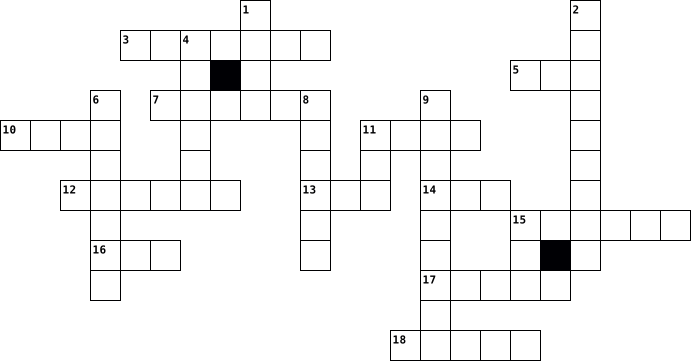
Computer software 2026-02-13

Across
- – Software owned and licensed by a company.
- – Update to fix bugs or security issues.
- – Tools for maintenance (e.g., antivirus, disk cleanup).
- – Software with publicly available source code.
- – Malicious software designed to harm systems.
- – Error or flaw in software.
- – Software that allows hardware devices to communicate with the OS.
- Programs designed for specific tasks (e.g., Word, Excel).
- – The way users interact with software.
- – Software embedded in hardware devices.
- – Legal agreement on how software can be used.
Down
- – Process of removing software from the system.
- – Applications hosted online instead of locally.
- – Programs that run on a computer.
- – Tools used to write code (e.g., compilers, IDEs).
- System software that manages hardware and applications.
- – Software that supports the computer’s basic functions.
- – Specific release of a software product.
- – The program that sets up software on your computer.
- – The physical parts of a computer.
20 Clues: – Error or flaw in software. • – Programs that run on a computer. • – The physical parts of a computer. • – The way users interact with software. • – Update to fix bugs or security issues. • – Software embedded in hardware devices. • – Specific release of a software product. • – Software owned and licensed by a company. • – Malicious software designed to harm systems. • ...
different terms and keywords on: software types, drivers and devices, the different applications 2023-11-14

Across
- Software designed to run on mobile devices.
- Software that provides a platform for other software to run on.
- Storage devices connected externally to a computer.
- a piece of computer software or hardware that restricts the data that is allowed to flow through.
- enables communication between the operating system and network hardware
- embedded in hardware devices, providing low-level control.
- application that is use for creating, editing, and viewing Portable Document Format files
- drivers that are simple applications that both Windows and Linux may utilize.
- Applications for creating, managing, and analyzing data in tabular form.
- set of files that tells a piece of hardware how to function
- Software whose source code is freely available to the public.
- Software that is part of a larger system and is dedicated to a specific function.
- drivers that provide unstructured access to the hardware.
- designed to help analyze, configure, optimize, or maintain a computer.
Down
- These are utilities for optimizing and maintaining system performance
- software that secretly monitors computer activity
- devices connected to a computer to provide additional functionality
- drivers that provide structured access to the hardware.
- Software that acts as a bridge between different software applications.
- facilitates communication between the operating system and audio hardware.
- A small text file sent to your computer by a web site you have visited
- a more permanent store that holds files even when the computer is switched off.
- System that manages and provides services for computer programs.
- Programs designed for end-users to perform specific tasks.
- detect, prevent, and remove malicious software.
- driver that enables communication between the operating system and graphics hardware.
- connects two or more packet-switched networks or subnetworks
- a computer hardware device that converts data from a digital format into a format suitable for an analog transmission
- Devices that display or present data processed by a computer.
- the most fundamental driver on a computer.
30 Clues: the most fundamental driver on a computer. • Software designed to run on mobile devices. • detect, prevent, and remove malicious software. • software that secretly monitors computer activity • Storage devices connected externally to a computer. • drivers that provide structured access to the hardware. • drivers that provide unstructured access to the hardware. • ...
CIS 1102 Crossword 2023-11-14

Across
- Software: Software designed to enhance productivity, such as Microsoft Office.
- Driver: Software that enables communication between the operating system and graphics hardware.
- Private Network (VPN) Software: Applications for creating secure connections over the internet.
- Management System (DBMS): Software for managing databases.
- Software: Programs designed to detect and remove malicious software.
- Source Software: Software with a license that allows access to its source code.
- Controller: Device or software managing a RAID (Redundant Array of Independent Disks) storage configuration.
- Editing Software: Tools for manipulating and editing images, e.g., Adobe Photoshop.
- Cleanup Utility: Software for removing unnecessary files and optimizing disk space.
- Devices: Devices connected to a computer, such as printers, scanners, and external drives.
- Software embedded in hardware devices to control their specific functionalities.
- Interface Card (NIC): Hardware that enables computers to connect to a network.
- Development Environment (IDE): Software for software development.
- System (OS): Software that manages computer hardware and provides services for computer programs.
- Software: Tools for creating copies of data to prevent loss in case of system failure.
- Software update that fixes vulnerabilities or improves functionality.
- Client: Software for managing and sending emails, e.g., Microsoft Outlook.
- Driver: Software that allows the operating system to communicate with hardware devices.
- Firmware that initializes hardware during the boot process.
- Optimization Tools: Software to enhance system performance, e.g., CCleaner.
- Software: Tools for creating slideshows, e.g., Microsoft PowerPoint.
Down
- Processor: Software for creating, editing, and formatting text documents.
- Driver: Software that allows the computer to communicate with a printer.
- Software: Programs designed to perform specific tasks for end-users.
- Software: Applications for creating and managing spreadsheets, e.g., Microsoft Excel.
- (I/O) Devices: Devices for input (e.g., keyboard, mouse) and output (e.g., monitor, printer).
- and Play (PnP): Technology that allows devices to be connected or disconnected without manual configuration.
- Software that acts as an intermediary between different applications.
- Software available for free, often with limited features.
- Software distributed on a trial basis with a payment required for full use.
- Player: Application for playing multimedia files, e.g., VLC Media Player.
- Software or hardware that monitors and controls incoming and outgoing network traffic.
- Software: Tools for securing data by converting it into a code.
- Browser: Software for accessing and navigating the internet, e.g., Google Chrome.
- Software: Software owned by a company and subject to restrictions on its use.
- Manager: Software for securely storing and managing passwords.
- Applications: Software accessed and used through a web browser.
- (Universal Serial Bus): Standard for connecting various devices to a computer.
- Compression Software: Tools for reducing the size of files, e.g., WinZip.
- Software: Software that provides a platform for other software to run on.
40 Clues: Software available for free, often with limited features. • Management System (DBMS): Software for managing databases. • Firmware that initializes hardware during the boot process. • Manager: Software for securely storing and managing passwords. • Software: Tools for securing data by converting it into a code. • ...
Software vs Hardware 2024-10-23

Across
- the interaction between a user and a digital device
- programs, applications, and data on a computer
- any hardware device that receives data from a computer
- physical components of a computer
- non-volatile data storage device
- software that performs specific functions for a user
- program that manages a computer's resources and runs other programs
- primary component of a computer that processes instructions
- code that enables two software programs to communicate
- program code embedded in hardware devices
- any hardware device that sends data to a computer
Down
- malicious software that can cause damage to systems, devices, and networks
- software that provides a platform for other software
- primary circuit board found in computers and other electronic devices
- specialized component that renders visuals on a display
- any external device that connects to a computer for input or output
- software that is publicly accessible, modifiable, and collaboratively developed
- any hardware capable of holding information either temporarily or permanently
- converts mains AC to low-voltage regulated DC power for the internal components of a desktop computer
- computer memory that stores data temporarily
20 Clues: non-volatile data storage device • physical components of a computer • program code embedded in hardware devices • computer memory that stores data temporarily • programs, applications, and data on a computer • any hardware device that sends data to a computer • the interaction between a user and a digital device • software that provides a platform for other software • ...
Computer Software 2023-11-14

Across
- Software or hardware that enables one computer system to behave like another, facilitating cross-platform compatibility.
- A file format used for presenting documents in a manner independent of application software, hardware, and operating systems.
- Applications that can run on multiple operating systems without modification.
- Software distributed for free initially, but users are required to pay for continued use or additional features.
- Programs designed to detect, prevent, and remove malicious software (malware) from a computer.
- Hardware responsible for rendering images and videos on a computer monitor.
- A standard for connecting and transferring data between computers and peripheral devices.
- Definition: A visual interface that allows users to interact with electronic devices or software through graphical elements.
- Software that allows the operating system to communicate with and control a specific hardware device.
- A network interface card that enables a computer to connect to a local network.
- Software that is developed and sold for profit.
- A business model where basic software is provided for free, but advanced features or premium versions require payment.
- The core component of an operating system responsible for managing hardware resources.
- Programs designed for end-users to perform specific tasks, such as word processors, web browsers, and games.
- A network security system that monitors and controls incoming and outgoing network traffic based on predetermined security rules.
- Software that secretly gathers information about a user's activities without their knowledge.
- Software that manages computer hardware and provides services for computer programs.
- Malicious software that encrypts a user's files and demands payment for their release.
- A software suite that provides tools for software development in one cohesive interface.
- Wireless technology for short-range communication between devices.
- Software that manages and supports the computer infrastructure, including operating systems, device drivers, and utilities.
Down
- Programs that perform a specific task, such as antivirus software, disk cleanup tools, and file management applications.
- Software that is owned by a company or an individual, and its source code is not publicly available.
- A small piece of software designed to fix issues or enhance functionality in an existing program.
- Software that enables the transfer of files between a local computer and a remote server.
- Software used for organizing, analyzing, and presenting numerical data in tabular form.
- Hardware devices connected to a computer, such as printers, scanners, and external storage.
- Software that acts as an intermediary between different applications or software components.
- Software that establishes a secure, encrypted connection over the internet, allowing users to browse the web privately and securely.
- The process of backing up data to a remote, cloud-based server for added security and accessibility.
- A data storage technology that uses multiple disk drives for performance, reliability, or both.
- A standard for connecting hardware devices to a computer motherboard.
- A pre-release version of software, typically made available for testing and feedback.
- Software that is available for use at no cost but may have restrictions on its usage or distribution.
- Software whose source code is not available to the public, and users cannot modify or distribute it.
- Technology that allows devices to be automatically detected and configured by the operating system.
- Software with a license that allows users to view, modify, and distribute its source code freely.
- Software embedded in hardware devices to control their functionality.
- Outdated software that is still in use but may lack support or updates.
- Firmware that initializes hardware components during the boot process and provides a bridge between the operating system and hardware.
40 Clues: Software that is developed and sold for profit. • Wireless technology for short-range communication between devices. • A standard for connecting hardware devices to a computer motherboard. • Software embedded in hardware devices to control their functionality. • Outdated software that is still in use but may lack support or updates. • ...
Computer Software 2024-09-09

Across
- Software or hardware that enables one computer system to behave like another, facilitating cross-platform compatibility.
- A file format used for presenting documents in a manner independent of application software, hardware, and operating systems.
- Applications that can run on multiple operating systems without modification.
- Software distributed for free initially, but users are required to pay for continued use or additional features.
- Programs designed to detect, prevent, and remove malicious software (malware) from a computer.
- Hardware responsible for rendering images and videos on a computer monitor.
- A standard for connecting and transferring data between computers and peripheral devices.
- Definition: A visual interface that allows users to interact with electronic devices or software through graphical elements.
- Software that allows the operating system to communicate with and control a specific hardware device.
- A network interface card that enables a computer to connect to a local network.
- Software that is developed and sold for profit.
- A business model where basic software is provided for free, but advanced features or premium versions require payment.
- The core component of an operating system responsible for managing hardware resources.
- Programs designed for end-users to perform specific tasks, such as word processors, web browsers, and games.
- A network security system that monitors and controls incoming and outgoing network traffic based on predetermined security rules.
- Software that secretly gathers information about a user's activities without their knowledge.
- Software that manages computer hardware and provides services for computer programs.
- Malicious software that encrypts a user's files and demands payment for their release.
- A software suite that provides tools for software development in one cohesive interface.
- Wireless technology for short-range communication between devices.
- Software that manages and supports the computer infrastructure, including operating systems, device drivers, and utilities.
Down
- Programs that perform a specific task, such as antivirus software, disk cleanup tools, and file management applications.
- Software that is owned by a company or an individual, and its source code is not publicly available.
- A small piece of software designed to fix issues or enhance functionality in an existing program.
- Software that enables the transfer of files between a local computer and a remote server.
- Software used for organizing, analyzing, and presenting numerical data in tabular form.
- Hardware devices connected to a computer, such as printers, scanners, and external storage.
- Software that acts as an intermediary between different applications or software components.
- Software that establishes a secure, encrypted connection over the internet, allowing users to browse the web privately and securely.
- The process of backing up data to a remote, cloud-based server for added security and accessibility.
- A data storage technology that uses multiple disk drives for performance, reliability, or both.
- A standard for connecting hardware devices to a computer motherboard.
- A pre-release version of software, typically made available for testing and feedback.
- Software that is available for use at no cost but may have restrictions on its usage or distribution.
- Software whose source code is not available to the public, and users cannot modify or distribute it.
- Technology that allows devices to be automatically detected and configured by the operating system.
- Software with a license that allows users to view, modify, and distribute its source code freely.
- Software embedded in hardware devices to control their functionality.
- Outdated software that is still in use but may lack support or updates.
- Firmware that initializes hardware components during the boot process and provides a bridge between the operating system and hardware.
40 Clues: Software that is developed and sold for profit. • Wireless technology for short-range communication between devices. • A standard for connecting hardware devices to a computer motherboard. • Software embedded in hardware devices to control their functionality. • Outdated software that is still in use but may lack support or updates. • ...
1102N Activity 2023-11-14

Across
- Software embedded into hardware devices, providing low-level control for the specific hardware.
- Software that connects different software components or applications.
- Easily transportable or transferable.
- Software designed for a specific task or function.
- Volatile memory used by a computer to store and quickly retrieve data.
- Software that manages computer hardware and provides common services for computer programs.
- Application for organizing and analyzing data in tabular form.
- Hardware devices that allow users to input data.
- Physical components of a computer system.
- An open-source file archiver with a high compression ratio, capable of handling multiple formats, including 7z, ZIP, and TAR.
- Online storage services that allow users to store and access data over the internet.
- Software that allows the operating system to communicate with and control a hardware device.
- A file format used for presenting documents independent of the software, hardware, and operating systems.
- A leading software company known for creative applications.
- Services for storing, syncing, and sharing files across devices and users.
- Utility for managing and monitoring running processes.
- Utility for removing unnecessary files from a computer's hard drive.
- Software that establishes a secure, encrypted connection over a less secure network, such as the internet.
- System software designed to help manage and tune computer hardware, software, or an operating system.
- Software for accessing information on the World Wide Web.
Down
- The process of converting encrypted data back to its original form.
- Malicious software designed to harm or exploit computers.
- A set of rules or steps for solving a particular problem or accomplishing a specific task.
- Security software that monitors and controls incoming and outgoing network traffic based on predetermined security
- A visual interface allowing users to interact with electronic devices through graphical elements.
- Application for accessing information on the World Wide Web.
- Software for storing, organizing, and retrieving data.
- Software for scheduling and organizing events, appointments, and reminders.
- Software designed to detect, prevent, and remove malicious software (malware) from computer systems.
- a standard interface for connecting and transferring data between electronic devices.
- Hardware devices that display or output data
- Identifying and alerting users about potential security risks.
- External device connected to a computer
- Programs that encode data to prevent unauthorized access.
- Software for creating copies of files to prevent data loss.
- Applications that facilitate teamwork and communication among users, often including features like document sharing.
- Wide Area Network covers a broad area, often connecting multiple LANs.
- Temporary storage area that holds frequently accessed data for quicker retrieval.
- Local Area Network connects computers and devices in a limited geographical area.
- File compression format and utility.
40 Clues: File compression format and utility. • Easily transportable or transferable. • External device connected to a computer • Physical components of a computer system. • Hardware devices that display or output data • Hardware devices that allow users to input data. • Software designed for a specific task or function. • Software for storing, organizing, and retrieving data. • ...
ujian harian kelas 4 2024-05-31

Across
- apa itu software
- ada berapa jenis os
- apa itu Hardware
- ikon untuk merubah bentuk huruf
- os yang bergambar pinguins
- os yang bergambar apel
- software untuk mengolah angka
- software untuk persentase
- ikon untuk menebalkan huruf
- os yang bergambar jendela
Down
- hardware untuk memcetak gambar
- hardware untuk menggerakan kursor/pointer
- ikon untuk merubah warna huruf
- software untuk mengolah gambar
- ikon untuk memiring kan huruf
- hardware untuk mengetik
- ikon untuk merubah warna huruf
- hardware untuk menampilkan suara
- software untuk mengolah kata
- hardware untuk menyimpan
20 Clues: apa itu software • apa itu Hardware • ada berapa jenis os • os yang bergambar apel • hardware untuk mengetik • hardware untuk menyimpan • software untuk persentase • os yang bergambar jendela • os yang bergambar pinguins • ikon untuk menebalkan huruf • software untuk mengolah kata • ikon untuk memiring kan huruf • software untuk mengolah angka • hardware untuk memcetak gambar • ...
Informatika 2026-01-22

Across
- hardware menerima input dari
- aplikasi untuk mendengarkan musik
- berfungi untuk penyimpanan data sementara
- salah satu hardware yang sering ditemui di kehidupan sehari-hari
- yang berfungi untuk mengetik
- software adalah program Atau aplikasi yang ada didalam
- kata lain dari perangkat lunak
- salah satu dari masalah umum adalah
- untuk membuat Catatan harian
- tanpa hardware komputer Tidak bisa digunakan karena tidak ada
- software yang digunakan Untuk menghibur serta memberikan informasi adalah
- salah satu Hardware adalah
- bersihkan debu pastikan ventilasi baik, dan lakukan perawatan hardware/software secara berkala merupakan
- dua program atau lebih mungkin saling berebut sumber daya hardware (memory, cpu) Menyebabkan sistem
- salah satu software yang berfungi untuk berbelanja
- hardware dan software Keduanya membutuhkan brainware atau
Down
- kepanjangan VGA card
- yang berfungi sebagai otak komputer
- bagian komputer yang bisa dilihat dan disentuh adalah
- analogi dari Software adalah pikiran/instruksi yang berperintah untuk
- hardware tanpa software hanya mesin mati seperti
- salah satu Solusinya adalah cek spesifikasi yaitu selalu periksa sistem... Sebelum di instalasi
- untuk mengatur semua Kerja komputer
- yang berfungi untuk browsing internet
- menampilkan sesuatu Menggunakan hardware
- Webcam berfungi untuk menangkap
- Microsoft Word berfungi untuk
- aplikasi untuk bermain
- software yang digunakan untuk Mengerjakan laporan kelompok
- excel digunakan untuk
- analogi dari hardware adalah tubuh
- hardware Adalah wadah
- salah satu nama aplkasi game
33 Clues: kepanjangan VGA card • excel digunakan untuk • hardware Adalah wadah • aplikasi untuk bermain • salah satu Hardware adalah • hardware menerima input dari • yang berfungi untuk mengetik • untuk membuat Catatan harian • salah satu nama aplkasi game • Microsoft Word berfungi untuk • kata lain dari perangkat lunak • Webcam berfungi untuk menangkap • aplikasi untuk mendengarkan musik • ...
Informatika kelompok 1 2026-01-22

Across
- software yang digunakan untuk menghibur serta memberikan informasi adalah
- bagian komputer yang bisa dilihat dan disentuh adalah
- Microsoft word berfungi untuk
- untuk mengatur semua Kerja komputer
- dua program atau lebih Mungkin saling berebut sumber daya hardware (memory, cpu) menyebabkan sistem
- salah satu solusinya adalah Cek spesifikasi yaitu selalu periksa sistem..sebelum di instalasi
- Excel digunakan untuk
- software yang digunakan Untuk mengerjakan laporan kelompok
- analogi dari software adalah pikiran/instruksi yang berperintah untuk
- software adalah program atau aplikasi Yang ada didalam
- yang berfungi sebagai otak komputer
- salah satu hardware adalah
- kata lain dari perangkat lunak
- kepanjangan VGA card
- bersihkan debu, pastikan ventilasi baik,dan lakukan perawatan hardware/ software secara berkala merupakan
Down
- salah satu dari masalah umum adalah
- berfungi untuk penyimpanan data sementara
- untuk membuat catatan harian
- aplikasi untuk bermain
- webcam berfungi untuk menangkap
- hardware dan software Keduanya membutuhkan brainware atau
- yang berfungi untuk mengetik
- menampilkan sesuatu menggunakan hardware
- tanpa hardware Komputer tidak bisa digunakan karena tidak ada
- salah satu software yang berfungi untuk berbelanja
- salah satu hardware yang sering ditemui di kehidupan sehari-hari
- hardware menerima Input dari
- aplikasi untuk mendengarkan musik
- yang berfungi untuk browsing internet
- salah satu nama aplikasi game
- analogi dari hardware adalah tubuh
- hardware adalah Wadah
- hardware tanpa software hanya mesin mati seperti
33 Clues: kepanjangan VGA card • Excel digunakan untuk • hardware adalah Wadah • aplikasi untuk bermain • salah satu hardware adalah • untuk membuat catatan harian • yang berfungi untuk mengetik • hardware menerima Input dari • Microsoft word berfungi untuk • salah satu nama aplikasi game • kata lain dari perangkat lunak • webcam berfungi untuk menangkap • aplikasi untuk mendengarkan musik • ...
HInformatika kelompok 1 2026-01-22

Across
- software yang digunakan untuk menghibur serta memberikan informasi adalah
- bagian komputer yang bisa dilihat dan disentuh adalah
- Microsoft word berfungi untuk
- untuk mengatur semua Kerja komputer
- dua program atau lebih Mungkin saling berebut sumber daya hardware (memory, cpu) menyebabkan sistem
- salah satu solusinya adalah Cek spesifikasi yaitu selalu periksa sebelu..., sebelum di instalasi
- Excel digunakan untuk
- software yang digunakan Untuk mengerjakan laporan kelompok
- analogi dari software adalah pikiran/instruksi yang berperintah untuk
- software adalah program atau aplikasi Yang ada didalam
- yang berfungi sebagai otak komputer
- salah satu hardware adalah
- kata lain dari perangkat lunak
- kepanjangan VGA card
- bersihkan debu, pastikan ventilasi baik,dan lakukan perawatan hardware/ software secara berkala merupakan
Down
- salah satu dari masalah umum adalah
- berfungi untuk penyimpanan data sementara
- untuk membuat catatan harian
- aplikasi untuk bermain
- webcam berfungi untuk menangkap
- hardware dan software Keduanya membutuhkan brainware atau
- yang berfungi untuk mengetik
- menampilkan sesuatu menggunakan hardware
- tanpa hardware Komputer tidak bisa digunakan karena tidak ada
- salah satu software yang berfungi untuk berbelanja
- salah satu hardware yang sering ditemui di kehidupan sehari-hari
- hardware menerima Input dari
- aplikasi untuk mendengarkan musik
- yang berfungi untuk browsing internet
- salah satu nama aplikasi game
- analogi dari hardware adalah tubuh
- hardware adalah Wadah
- hardware tanpa software hanya mesin mati seperti
33 Clues: kepanjangan VGA card • Excel digunakan untuk • hardware adalah Wadah • aplikasi untuk bermain • salah satu hardware adalah • untuk membuat catatan harian • yang berfungi untuk mengetik • hardware menerima Input dari • Microsoft word berfungi untuk • salah satu nama aplikasi game • kata lain dari perangkat lunak • webcam berfungi untuk menangkap • aplikasi untuk mendengarkan musik • ...
Software and Hardware 2026-01-23

Across
- Yang berfungsi sebagai otak komputer
- Analogi dari software adalah pikiran/instruksi yang berperintah untuk
- Untuk membuat catatan harian
- Bagian komputer yang bisa dilihat dan disentuh adalah
- Analogi dari hardware adalah tubuh
- Salah satu hardware adalah
- Kepanjangan VGA Card
- Berfungsi untuk penyimpanan data sementara
- Salah satu nama aplikasi game
- Bersihkan debu, pastikan ventilasi baik, dan lakukan perawatan hardware/software secara berkala merupakan=
- Dua program atau lebih mungkin saling berebut sumber daya hardware (memori, CPU) menyebabkan sistem
- Yang berfungsi untuk mengetik
- Tanpa hardware komputer tidak bisa digunakan karena tidak ada
- Yang berfungsi untuk browsing internet
Down
- Software yang digunakan untuk menghibur serta memberikan informasi adala
- Hardware tanpa software hanya mesin mati seperti
- Hardware dan software keduanya membutuhkan brainware atau
- excel digunakan untuk
- Salah satu solusinya adalah cek spesifikasi yaitu selalu periksa sistem...... sebelum di instalasi
- Microsoft Word berfungsi untu
- Software yang digunakan untuk mengerjakan laporan kelompok
- Kata lain dari perangkat lunak
- Salah satu software yang berfungsi untuk berbelanja
- Hardware adalah wadah
- Hardware menerima input dari
- Salah satu dari masalah umum adalah
- Aplikasi untuk mendengarkan musik
- Aplikasi untuk bermain
- Menampilkan sesuatu menggunakan hardware
- Webcam berfungsi untuk menangkap
- Software adalah program atau aplikasi yang ada di dalam
- Salah satu hardware yang sering ditemui di kehidupan sehari-hari
- Untuk mengatur semua kerja komputer
33 Clues: Kepanjangan VGA Card • excel digunakan untuk • Hardware adalah wadah • Aplikasi untuk bermain • Salah satu hardware adalah • Untuk membuat catatan harian • Hardware menerima input dari • Microsoft Word berfungsi untu • Salah satu nama aplikasi game • Yang berfungsi untuk mengetik • Kata lain dari perangkat lunak • Webcam berfungsi untuk menangkap • Aplikasi untuk mendengarkan musik • ...
Technology Systems 2025-11-20

Across
- Windows, Icons, Menus, Pointers
- a hardware or software device that blocks data traffic
- The computers Brain
- where processing is one on the client
- Business services hosted through the internet
- where processing is done on a server
- a whole computer on a single chip
- a common network topology
- Installed on a computer
- Volatile Storage
- Custom made
Down
- a measurement of how fast a CPU works
- a device that can do more than one thing
- A combination of hardware and software
- software that manages ram, hardware, software
- Components you can touch
- a type of computer that provides services
- 9 in binary
- software that removes malicious software
19 Clues: 9 in binary • Custom made • Volatile Storage • The computers Brain • Installed on a computer • Components you can touch • a common network topology • Windows, Icons, Menus, Pointers • a whole computer on a single chip • where processing is done on a server • a measurement of how fast a CPU works • where processing is one on the client • A combination of hardware and software • ...
ICS Advanced systems software 2025-02-10

Across
- A key advantage of well-designed integrated systems, reducing errors and downtime
- The ability of integrated systems to expand and meet growing demands
- Physical devices like processors, sensors, and controllers within a system
- Software such as CCleaner that removes unnecessary files
- A modern replacement for BIOS with faster startup and security features
- Tools like Norton and McAfee that protect against malware
- Protocols and methods enabling components to exchange data
- Drivers that enable the OS to manage audio hardware
- An open-source operating system available in multiple distributions
- A multiuser operating system primarily used in servers
- Programs and applications managing hardware operations
Down
- The structured framework defining system components, relationships, and interactions
- A combination of hardware, software, and peripheral components working as a single unit
- The core software managing hardware resources and user applications
- Software that allows the OS to send accurate print jobs to printers
- The role of integrated systems in driving technological advancements
- Software enabling the OS to communicate with hardware devices
- The ability of integrated systems to streamline operations by automating tasks
- Software that allows the OS to control high-performance graphics cards
- Basic Input/Output System used to initialize hardware during booting
- The operating system designed for Apple's Macintosh computers
- Programs that maintain and optimize system performance
- Programs like Acronis True Image that create system backups
- Low-level software embedded in hardware for essential control
- A widely used operating system developed by Microsoft
25 Clues: Drivers that enable the OS to manage audio hardware • A widely used operating system developed by Microsoft • Programs that maintain and optimize system performance • A multiuser operating system primarily used in servers • Programs and applications managing hardware operations • Software such as CCleaner that removes unnecessary files • ...
Technology Systems 2023-12-19

Across
- Windows, Icons, Menus, Pointers
- a hardware or software device that blocks data traffic
- The computers Brain
- where processing is one on the client
- Business services hosted through the internet
- where processing is done on a server
- a whole computer on a single chip
- a common network topology
- Installed on a computer
- Volatile Storage
- Custom made
Down
- a measurement of how fast a CPU works
- a device that can do more than one thing
- A combination of hardware and software
- software that manages ram, hardware, software
- Components you can touch
- a type of computer that provides services
- 9 in binary
- software that removes malicious software
19 Clues: 9 in binary • Custom made • Volatile Storage • The computers Brain • Installed on a computer • Components you can touch • a common network topology • Windows, Icons, Menus, Pointers • a whole computer on a single chip • where processing is done on a server • a measurement of how fast a CPU works • where processing is one on the client • A combination of hardware and software • ...
ITC Crossword by J.P Baltazar 2023-11-14

Across
- Software that compresses files to make them smaller and easier to store and transmit.
- Cloud-based Google word processing software that allows users to create and edit documents.
- Cloud-based Google spreadsheet software that allows users to create and edit spreadsheets.
- Software that performs specific tasks, such as antivirus software, backup software, and file compression software.
- Software that connects different applications and software components together.
- Software that is embedded in hardware devices and controls their operation.
- App Software that helps users to be more productive, such as word processors, spreadsheets, and presentation software
- A type of user interface that uses graphical elements, such as icons, windows, and menus, to allow users to interact with the computer.
- Software that protects computers from viruses and other malware.
- A file format that allows documents to be viewed and printed on any device.
- Software that performs specific tasks.
- social networking microblogging website where users can post and interact with short messages (known as "tweets").
- a high-speed interface that is often used for connecting professional audio and video equipment to a computer.
- A spreadsheet software that allows users to create and edit spreadsheets.
- Software that allows a hardware device to communicate with the computer's operating system.
- Software that allows users to access the internet and view web pages.
- A presentation software that allows users to create and deliver presentations.
- A set of rules and specifications that define how software components should interact with each other.
- The core of an operating system that manages the system's resources and provides services to other software.
Down
- Hardware that allows computers to communicate with each other.
- Software that is owned by a company or individual and cannot be modified or redistributed without permission.
- a newer interface that is even faster than FireWire. It can be used to connect a wide variety of devices to a computer, including external displays, storage devices, and docking stations.
- Cloud-based Google presentation software that allows users to create and deliver presentations.
- a popular standard for connecting devices to a computer. It is used for a wide variety of devices, including external hard drives, printers, and smartphones.
- Software that is designed for entertainment purposes.
- - A word processing software that allows users to create and edit documents.
- A type of user interface that allows users to interact with the computer by typing commands.
- Hardware that allows users to output data from the computer.
- social networking photo and video sharing app where users can share photos and videos with their followers.
- Hardware that allows users to input data into the computer.
- Hardware that allows computers to connect to a network.
- Software that manages the computer's hardware and software resources
- Software that allows users to play audio and video files.
- social networking website where users can create profiles, connect with friends, and share photos, videos, and other content.
- Software that is designed to teach users about a particular topic.
- Software that is sold for profit.
- Software that allows users to send and receive email messages.
- Software that helps users to back up their data and maintain their computers.
- [blank] devices may require special drivers to work with modern operating systems. These drivers can often be downloaded from the manufacturer's website.
- Hardware that stores data.
40 Clues: Hardware that stores data. • Software that is sold for profit. • Software that performs specific tasks. • Software that is designed for entertainment purposes. • Hardware that allows computers to connect to a network. • Software that allows users to play audio and video files. • Hardware that allows users to input data into the computer. • ...
Informatika 2026-01-22

Across
- kata lain dari perangkat lunak
- software yang digunakan untuk mengerjakan laporan kelompok
- Excel digunakan untuk
- salah satu aplkasi game
- salah satu software yang berfungi untuk berbelanja
- tanpa hardware komputer tidak bisa digunakan karena tidak ada
- aplikasi untuk bermain
- yang berfungi sebagai otak komputer
- hardware menerima input dari
- salah satu hardware adalah
- analogi dari software adalah pikiran/instruksi yang berperintah untuk
- aplkasi untuk mendengarkan musik
- salah satu hardware yang sering ditemui dikehidupan sehari-hari
- analogi dari hardware adalah tubuh
- Microsoft Word berfungi untuk
- yang berfungi untuk mengetik
- kepanjangan VGA card
- menampilkan sesuatu menggunakan HMonitor
Down
- untuk mengatur semua kerja komputer
- hardware dan software keduanya Membutuhkan brainware atau
- salah satu dari masalah umum adalah
- software yang digunakan untuk Menghibur serta memberikan informasi adalah
- bagian komputer yang bisa dilihat dan disentuh adalah
- hardware adalah wadah fisik
- untuk membuat catatan harian
- hardware tanpa software hanya mesin mati seperti
- berfungi untuk penyimpanan data sementara
- webcam berfungi untuk menangkap
- bersihkan debu, pastikan ventilasi baik dan lakukan perawatan hardware/software secara berkala merupakan
- salah satu solusinya adalah cek spesifikasi yaitu selalu periksa sistem... Sebelum di instalasi
- software adalah program atau aplkasi yang ada didalam
- dua program atau lebih mungkin saling berebut sumber daya hardware (Cpu, memory) menyebabkan sistem
- yang berfungi untuk browsing internet
33 Clues: kepanjangan VGA card • Excel digunakan untuk • aplikasi untuk bermain • salah satu aplkasi game • salah satu hardware adalah • hardware adalah wadah fisik • untuk membuat catatan harian • hardware menerima input dari • yang berfungi untuk mengetik • Microsoft Word berfungi untuk • kata lain dari perangkat lunak • webcam berfungi untuk menangkap • aplkasi untuk mendengarkan musik • ...
Computer Systems 2026-01-29

Across
- - Malicious software that can corrupt other software
- - The brains of the computer, responsible for processing instructions
- - Output device that creates hard copies of documents or images
- - The physical components of a computer that you can see and touch
- - An output device that displays images and text
- - Programs and instructions that tell the hardware what to do
- - Devices like hard drives or SSDs used to store data long-term
- - Security system that monitors and controls network traffic
- - Eight bits
- - A cable connecting the computer to the internet
- - An input device for pointing and clicking on a screen
- - Input device used for typing characters and commands
- - Software that allows the computer to communicate with a hardware device
- - The main circuit board of a personal computer
Down
- - Hardware like keyboards and mice used to provide data to a computer
- - Volatile memory that stores data the CPU needs quickly for active tasks
- - System software that manages computer hardware and provides a platform for applications
- - Hardware like monitors and printers that display processed data to the user
- - A group of connected computers
- - Non-volatile memory, stores data even when the computer is turned off
20 Clues: - Eight bits • - A group of connected computers • - The main circuit board of a personal computer • - An output device that displays images and text • - A cable connecting the computer to the internet • - Malicious software that can corrupt other software • - Input device used for typing characters and commands • - An input device for pointing and clicking on a screen • ...
Computer Systems 2025-08-15

Across
- - Malicious software that can corrupt other software
- - The brains of the computer, responsible for processing instructions
- - Output device that creates hard copies of documents or images
- - The physical components of a computer that you can see and touch
- - An output device that displays images and text
- - Programs and instructions that tell the hardware what to do
- - Devices like hard drives or SSDs used to store data long-term
- - Security system that monitors and controls network traffic
- - Eight bits
- - A cable connecting the computer to the internet
- - An input device for pointing and clicking on a screen
- - Input device used for typing characters and commands
- - Software that allows the computer to communicate with a hardware device
- - The main circuit board of a personal computer
Down
- - Hardware like keyboards and mice used to provide data to a computer
- - Volatile memory that stores data the CPU needs quickly for active tasks
- - System software that manages computer hardware and provides a platform for applications
- - Hardware like monitors and printers that display processed data to the user
- - A group of connected computers
- - Non-volatile memory, stores data even when the computer is turned off
20 Clues: - Eight bits • - A group of connected computers • - The main circuit board of a personal computer • - An output device that displays images and text • - A cable connecting the computer to the internet • - Malicious software that can corrupt other software • - Input device used for typing characters and commands • - An input device for pointing and clicking on a screen • ...
Hardware and Software 2016-05-13

Across
- Output that is printed on paper
- A solid state device that controls electric current flow; replace the vacuum tube
- Anything that has only two states such as on/off or yes/no
- Programs or instructions
- A device that is attached to the computer to aid in input and/or output
- A piece of hardware that stores and retrieves information (two words)
- A small piece of silicon on which circuits are etched (two words)
- To manipulate data in accordance with instructions from a computer program
- A coding system which uses zeros and ones to encode information (two words)
- A machine that prints characters and images
- A connector on the motherboard used to add circuit boards to expand the functionality of the computer (two words)
- An individual point of light on a display screen
- Circuitry etched on a small silicon chip that is designed to perform a complex task (two words)
- A computer output device similar to a television screen
- Storage memory chips containing information that cannot be changed
- A binary digit: 0 or 1
- About a million bytes
- A display of computer generated information
- A machine used to accept, process, store, and get information
- An input device used to enter characters.
- Computer output displayed on a monitor (two words)
Down
- A rigid disk encased in an airtight drive (two words)
- A single letter, digit, or special symbol
- An integrated circuit
- Information that can be expressed in numerical form (two words)
- The computers immediate internal memory, RAM and ROM (two words)
- A small, solid-state (non-moving) memory storage disk that plugs into a USB port of a computer (two words)
- The physical parts of a computer
- About a thousand bytes
- A measure of computer speed
- An input device that reads text, images, and bar codes
- A reusable magnetic storage made from thin circular Mylar material (two words)
- A picture or illustration
- The main processing unit of a computer
- Glass bulb similar to a light bulb used to control electric current flow (two words)
- Used to maintain the digital information for later use (two words)
- A grouping of eight binary digits used by the computer as a single unit
- Temporary storage comprising the computer’s primary work space; contents are lost if power is disrupted
- A place to store information
- Step-by-step instructions for completing a task
- Approximately a billion bytes or characters
- Data that is entered into a computer
- A standard method used for paring alphanumeric characters with binary representations
43 Clues: An integrated circuit • About a million bytes • About a thousand bytes • A binary digit: 0 or 1 • Programs or instructions • A picture or illustration • A measure of computer speed • A place to store information • Output that is printed on paper • The physical parts of a computer • Data that is entered into a computer • The main processing unit of a computer • ...
hardware and software 2024-06-14

Across
- random access memory is measured in ___
- something you can physically toach
- Controls the harddrive.
- The purpose of this is store store data long term
- fifa is an ___
- takes n inputs and return a 1 when any input is a 1.
- This component is measured in gigabites.
- takes a single input and returns a 1 when the input is a 0
- a data type that has one of two possible values.
- The bit that connects the componets together.
Down
- Extends the functionality of a divice.
- soemthing on your computer
- Makes a differnt folder that has the exact same info as the original folder.
- hz stands for ___
- 1 million bytes
- takes n inputs and returns a 1 only when all n inputs are 1
- keeps everything organised and tidy
- Protects your computer from virus's
- This component is measured in hz.
- takes inputs and give an output
- Is used to maintain and protect the computer.
21 Clues: fifa is an ___ • 1 million bytes • hz stands for ___ • Controls the harddrive. • soemthing on your computer • takes inputs and give an output • This component is measured in hz. • something you can physically toach • keeps everything organised and tidy • Protects your computer from virus's • Extends the functionality of a divice. • random access memory is measured in ___ • ...
Hardware and Software 2026-05-27

Across
- Expansion slot used for graphics cards and other add-ons
- Physical parts of a computer you can touch
- External device connected to a computer such as a mouse or keyboard
- Small slot for fast storage drives like SSDs
- Main circuit board connecting all components together
- Designing workspaces for comfort and safety
- Faster storage device with no moving parts
- Software used to maintain or improve system performance
- Connection that does not use cables such as Wi-Fi
- Wired network connection using a cable
Down
- Programs and instructions that run on a computer
- Component that processes images and displays them on the monitor
- Storage device that uses spinning disks to save data
- Supplies electricity to computer components
- Connection used for older hard drives and SSDs
- Program designed to perform specific tasks such as Word or games
- Individual part of a computer system
- Main software that manages hardware and runs programs
- Hardware that handles audio input and output
- A group of parts working together as a whole
- Where the processor is installed on the motherboard
21 Clues: Individual part of a computer system • Wired network connection using a cable • Physical parts of a computer you can touch • Faster storage device with no moving parts • Supplies electricity to computer components • Designing workspaces for comfort and safety • Small slot for fast storage drives like SSDs • Hardware that handles audio input and output • ...
Hardware and Software 2021-05-14

Across
- Microsoft's Word Processor
- move & click this to put info into a computer
- gets information out of a computer
- tap this to enter info into a computer
- google button to create a new email
- Apple's Word Processor
- answering the writers of an email
- the physical parts of a computer
- Apple's Browser
- drag & tap this to enter info into a computer
- tool to search for websites/information
- a screen that shows info coming out of a computer
- provides information into the computer
- an extra file(S) sent along with an email
- highlighted characters you click to go to a site
- the sender's name at the end of an email
- sending an email to another person
Down
- Google's Word Processor
- creates documents for print
- Google's Browser
- Microsoft's email client
- the apps or programs inside the computer
- a scam to try & steal your password/money
- people who are going to get the email
- Microsoft's Browser
- the greeting at the beginning of an email
- address of a website
- allows for searching the World Wide Web
- paper comes out of this output device
- Google's email client
- allows users to send mail online
31 Clues: Apple's Browser • Google's Browser • Microsoft's Browser • address of a website • Google's email client • Apple's Word Processor • Google's Word Processor • Microsoft's email client • Microsoft's Word Processor • creates documents for print • the physical parts of a computer • allows users to send mail online • answering the writers of an email • gets information out of a computer • ...
Hardware and Software 2022-02-09

Across
- Collections of web pages under a single domain name
- Primary user workspace in an OS
- Where the address is displayed
- Set of options used to help find information or functions in a program
- An object that stores data on a computer
- Rectangular display of a program or location
- A device that can store and process data to help users complete tasks
- Device which takes in data or information
- Virtual space used to group files and other folders
- Browser shortcut to a website
- Suffix at the end of a filename that tells what kind of file it is
- Device which sends out data or information
- Device that connects two or more networks
Down
- Set of instructions or programs that tells a computer what to do
- Multiple websites open inside a browser’s window
- Two or more computers connected together to share resources
- Uses radio to connect computers to the network
- Indicators of events
- Physical components of a computer that can be seen and touched
- Uses cables to physically connect the computer to the network
- Information measured in bits
- Network applications that navigate the Internet
- Image representing a program or a location
- Global network of networks
- An address for something on the Internet
25 Clues: Indicators of events • Global network of networks • Information measured in bits • Browser shortcut to a website • Where the address is displayed • Primary user workspace in an OS • An object that stores data on a computer • An address for something on the Internet • Device which takes in data or information • Device that connects two or more networks • ...
Hardware and Software 2016-05-13

Across
- Temporary storage comprising the computer’s primary work space; contents are lost if power is disrupted
- A display of computer generated information
- To manipulate data in accordance with instructions from a computer program
- Approximately a billion bytes or characters
- A machine used to accept, process, store, and get information
- An individual point of light on a display screen
- Output that is printed on paper
- A device that is attached to the computer to aid in input and/or output
- A solid state device that controls electric current flow; replace the vacuum tube
- The computers immediate internal memory, RAM and ROM (two words)
- About a thousand bytes
- A piece of hardware that stores and retrieves information (two words)
- A connector on the motherboard used to add circuit boards to expand the functionality of the computer (two words)
- A small, solid-state (non-moving) memory storage disk that plugs into a USB port of a computer (two words)
- Circuitry etched on a small silicon chip that is designed to perform a complex task (two words)
- A measure of computer speed
- A standard method used for paring alphanumeric characters with binary representations
- Data that is entered into a computer
Down
- Storage memory chips containing information that cannot be changed
- A place to store information
- A picture or illustration
- A computer output device similar to a television screen
- A binary digit: 0 or 1
- The physical parts of a computer
- A grouping of eight binary digits used by the computer as a single unit
- A single letter, digit, or special symbol
- A reusable magnetic storage made from thin circular Mylar material (two words)
- Computer output displayed on a monitor (two words)
- Used to maintain the digital information for later use (two words)
- The main processing unit of a computer
- A rigid disk encased in an airtight drive (two words)
- Step-by-step instructions for completing a task
- Programs or instructions
- About a million bytes
- Anything that has only two states such as on/off or yes/no
- An integrated circuit
36 Clues: About a million bytes • An integrated circuit • A binary digit: 0 or 1 • About a thousand bytes • Programs or instructions • A picture or illustration • A measure of computer speed • A place to store information • Output that is printed on paper • The physical parts of a computer • Data that is entered into a computer • The main processing unit of a computer • ...
Hardware and software 2024-06-14

Across
- Measurement computer storage (Mega)
- Makes hardware useful
- Controls the hardware
- Building blocks of computer hardware
- Logic gate does the opposite of the input
- Creates a copy of a file
- The measurement of how fast a computer refreshes
- Remembers data indefinitely
- Logic gate any value has to be 1 to output
- A non essential software that perform 1 or 2 specific actions
- Logic gate that All values need to be 1 so for 1 output
Down
- Protects against malware
- Something that can be installed which makes the computer have a better functionality
- A computer system that runs a computers hardware
- Something you can touch
- A true or false statement
- Measurement of computer storage (Giga)
- Connects all computer components together
- Random Access memory
- Makes a file smaller and puts several files into 1
- Central processing unit
21 Clues: Controls the hardware • Something you can touch • Random Access memory • Protects against malware • Makes hardware useful • Central processing unit • Creates a copy of a file • Remembers data indefinitely • Measurement computer storage (Mega) • A true or false statement • Measurement of computer storage (Giga) • ...
Hardware and software 2024-11-29

Across
- Similar to mouse, but user manipulates a ball within the device to indicate movement on the screen
- More powerful PCs used for CAD, CAM, complex simulation, graphical rendering, and scientific applications
- Process of writing programs
- Building several technologies into a single piece of hardware
- Most powerful computers at any given time
- Store large amounts of data and business transactions like Bank Insurande
- Collection of various applications that perform multiple interrelated functions
- An application that enables sharing of ideas and information resources among group members
- Circuit board containing the CPU and primary memory
Down
- Devices try to interpret handwritten and printed text
- Mobile computing device that uses a touch screen to execute commands
- Computer programs that contribute to productivity
- Enables applications to run on a computer manages components and devices
- Program as originally written by the developer
- The study of the comfort and safety of humans in the workplace
- A feature that enables users to access information by clicking text or
- A reading device that automates check processing
- An integrated application containing some or all features from several applications
- Process of locating and fixing program errors
- Physical components of computers and related electronic devices
20 Clues: Process of writing programs • Most powerful computers at any given time • Process of locating and fixing program errors • Program as originally written by the developer • A reading device that automates check processing • Computer programs that contribute to productivity • Circuit board containing the CPU and primary memory • ...
Hardware and software 2019-09-12

Across
- Devices try to interpret handwritten and printed text
- An application that enables sharing of ideas and information resources among group members
- Process of writing programs
- A reading device that automates check processing
- Computer programs that contribute to productivity
- Process of locating and fixing program errors
- Enables applications to run on a computer manages components and devices
- Most powerful computers at any given time
- Collection of various applications that perform multiple interrelated functions
- A feature that enables users to access information by clicking text or
- Similar to mouse, but user manipulates a ball within the device to indicate movement on the screen
Down
- Physical components of computers and related electronic devices
- Mobile computing device that uses a touch screen to execute commands
- More powerful PCs used for CAD, CAM, complex simulation, graphical rendering, and scientific applications
- The study of the comfort and safety of humans in the workplace
- Circuit board containing the CPU and primary memory
- Store large amounts of data and business transactions like Bank Insurande
- Building several technologies into a single piece of hardware
- Program as originally written by the developer
- An integrated application containing some or all features from several applications
20 Clues: Process of writing programs • Most powerful computers at any given time • Process of locating and fixing program errors • Program as originally written by the developer • A reading device that automates check processing • Computer programs that contribute to productivity • Circuit board containing the CPU and primary memory • ...
Hardware and Software 2022-10-25

Across
- - used to cut something like a pictyre, ot text box
- - Software that allows users to purchase unlimited amounts of Add-Ons as well as video games of which are compatible with the computer
- - Screen of different sizes used to output video and sound
- - Undoes last input in docs, slides, etc.
- - C for copy and V for paste with shift to print without anything different fonts, boldness, etc.
- - Someone that uses Java, Python, etc.
- - a small device that a computer user pushes across a desk surface in order to point to a place on a display screen and to select one or more actions to take from that position.
- - Jumbled alphabet used to output letters
- - without this a computer has short term memory loss
Down
- - A very widely used and known software used to collect information from the internet
- - Makes letters BOLDED in google docs, slides, etc.
- - Live streaming platform
- - Very common OS used widely, especially in work places
- - Streaming Software for various kinds of videos
- - a printed circuit board containing the principal components of a computer
- - tools, machinery, and other durable equipment used for different purposes in a computer
- - Wire used to combines video and audio into a single digital interface such as a monitor or tv
- - Robotic Brain
- - programs and other operating information used in devices from computers to cell phones
- - opens new tab
- - OS used by apple phones
21 Clues: - Robotic Brain • - opens new tab • - Live streaming platform • - OS used by apple phones • - Someone that uses Java, Python, etc. • - Undoes last input in docs, slides, etc. • - Jumbled alphabet used to output letters • - Streaming Software for various kinds of videos • - Makes letters BOLDED in google docs, slides, etc. • - used to cut something like a pictyre, ot text box • ...
Hardware And Software 2022-10-23
Across
- FAN What cools down the computer when overheated
- What brings graphics on your computer
- to copy a text
- What is the unit of data that is 8 binary digits
- wireless local area network
- Electronic waste
- local area network
- digital subscriber line
- to get subsctript
- What is the short term memory of a computer?
- keyboard,camera,webcam,scanner are examples of?
- what is the unit of measurement used for one cycle per unit
Down
- UP uses a phone line and cant make a call while using the wifi
- what’s on a motherboard to enable the computer to input, process, and deliver sound?
- monitors and printers are types of?
- two or more computers connected with eachother
- to paste a text
- motherboard to enable the computer to input, process, and deliver sound.
- wide area network
- Principal part of any digital computer system
20 Clues: to copy a text • to paste a text • Electronic waste • wide area network • to get subsctript • local area network • digital subscriber line • wireless local area network • monitors and printers are types of? • What brings graphics on your computer • What is the short term memory of a computer? • Principal part of any digital computer system • ...
Software and hardware 2024-06-14

Across
- A type of value using the statements true and false
- Central Processing Unit
- Code which makes the computer hardware useful
- How much storage the graphics card is measured in
- A piece of utility which makes file sizes smaller
- Random access memory
- A type of logic gate which takes n inputs and return a 1 when any input is a 1
- Software type which helps maintain the computer
- A type of logic gate which takes n inputs and returns a 1 only when all n inputs are 1
- Stores long term data
Down
- Building blocks of computer hardware
- A piece of utility which backs up a file incase you lose the original
- A piece of utility which prevents the device getting a virus by putting the file in quarantine
- What the size of the RAM is measured in
- A type of logic gate which takes a single input and returns a 1 when the input is a 0
- Software A type of software which is needed to help maintain the computer
- What the CPU speed is measured in
- Connects the harddrive components together
- System Controls the hardware
- Extends the functionality of a device and gives the computer a purpose
- Anything that you can touch
21 Clues: Random access memory • Stores long term data • Central Processing Unit • Anything that you can touch • System Controls the hardware • What the CPU speed is measured in • Building blocks of computer hardware • What the size of the RAM is measured in • Connects the harddrive components together • Code which makes the computer hardware useful • ...
hardware and software 2024-06-14

Across
- Primary control center aka control center
- Used to store a copy of files on an external device
- Store data long term
- System Type of system software allows the user to interact with the hardware
- Building blocks of computer hardware
- One of the main components in a computer
- Type of software extends the functionality of a device
- computer code that is used to make the computer hardware useful
- Software Everything on a computer
Down
- Makes files smaller
- One of the logic gates, takes n inputs and returns a 1 only when all n inputs are 1
- Anything you can touch
- Hardware disk drive measured in
- Speed of the CPU
- One of the logic gates, takes a single input and returns a 1 when the input is a 0
- Type of software that is designed to help maintain a computer system
- RAM measured in
- A result that can only have one of two possible values: true or false.
- stores data and instructions that are currently in use
- One of the logic gates, takes n inputs and return a 1 when any input is a 1.
- Quarantines files so they can't be run
21 Clues: RAM measured in • Speed of the CPU • Makes files smaller • Store data long term • Anything you can touch • Hardware disk drive measured in • Software Everything on a computer • Building blocks of computer hardware • Quarantines files so they can't be run • One of the main components in a computer • Primary control center aka control center • ...
Hardware and Software 2024-06-14

Across
- Stores multiple files in to one - saves data
- Makes the external items useful
- Stores data and instructions currently in use, GB
- Nothing gives an output
- Stores data longterm, TB
- Controls the hardware
- Protects computer against Malware
- GB, stores data
Down
- The piece of hardware that connects everything together
- A or B or together give an output
- Everything on a computer
- MB, stores data
- Extends the devices capabilities
- Takes inputs and give an output inside the CPU
- Language logic gates are
- A and B together give an output
- The measurement which determines the speed in the CPU
- Maintains and protects the computer
- Determines how quickly the computer runs, Hz
- Anything physical, external
- Saves a copy of data on a computer
21 Clues: MB, stores data • GB, stores data • Nothing gives an output • Language logic gates are • Stores data longterm, TB • Controls the hardware • Everything on a computer • Anything physical, external • Makes the external items useful • A and B together give an output • Extends the devices capabilities • A or B or together give an output • Protects computer against Malware • ...
Unit2 LA C V1 2026-04-01

Across
- (9,6) Software that manages hardware resources and provides a platform for applications
- (7,8) Software used to maintain and protect a system
- (9) Software that detects and removes malicious software
- (8) Protection of systems and data from threats
- (3,9) Software used to create websites
- (4,9) Software used to create and edit documents
- (4,9) The way a user interacts with a computer system
- (6,8) Software developed for a specific user or organisation
- (6,10) OS function that controls RAM usage
- (4,12) Tool that reorganises fragmented data on a disk
Down
- (3,3,5) Ready-made software available to many users
- (11,8) Software used by users to perform tasks
- (8) Programs that tell a computer what to do
- (4,10) OS function that organises and stores files
- (6,9) Software that manages hardware and runs the system
- (5,5,8) Software used for audio, video and animation
- (8) Software that blocks unauthorised access to a network
- (6,5) Software used for calculations and data analysis
- (8,8) Software used to create and edit images
- (6) Core part of an operating system that controls processes and hardware
- (3) Interface that uses icons, windows and menus
- (8,10) OS function that controls devices and drivers
- (8) Software used to store and manage structured data
23 Clues: (3,9) Software used to create websites • (6,10) OS function that controls RAM usage • (8) Programs that tell a computer what to do • (8,8) Software used to create and edit images • (11,8) Software used by users to perform tasks • (8) Protection of systems and data from threats • (4,9) Software used to create and edit documents • ...
hardware and software 2020-04-14

Across
- function usually binded to ctrl+c
- function usually binded to ctrl+z
- cools your PC
- comic sans or arial
- function usually binded to ctrl+v
- ... system - system software that manages computer hardware and software resources
- basic workspace displayed on the monitor
- central ... unit
- internet service ...
- hard ...
Down
- an external piece of hardware used to play sounds
- data or computer instructions that tell the computer how to work
- components like CPU and GPU are on it
- function usually binded to ctrl+x
- random access ...
- power supply ...
- universal ... bus
- external hardware used to input letters
- local ... network
- ... private network
20 Clues: hard ... • cools your PC • power supply ... • central ... unit • random access ... • universal ... bus • local ... network • comic sans or arial • ... private network • internet service ... • function usually binded to ctrl+x • function usually binded to ctrl+c • function usually binded to ctrl+z • function usually binded to ctrl+v • components like CPU and GPU are on it • ...
Hardware and Software 2025-08-08

Across
- Perangkat lunak yang bisa mendeteksi virus
- Sistem operasi terbuka berbasis Unix
- Perangkat lunak desain dari Adobe
- Perangkat keras pusat proses komputer
- Perangkat masukan berbentuk klik dan gerak
- Memori utama komputer yang bersifat sementara
- Penyimpanan cepat berbasis chip
- Software desain dari Corel
- Komponen penyimpan data jangka panjang
- Alat masukan suara ke komputer
- Sistem operasi dari Apple untuk laptop
- Browser pesaing Chrome, logo rubah api
- Bahasa pemrograman populer, berlogo ular
- Program antivirus terkenal dari Avast
- Alat untuk menghubungkan komputer ke jaringan
- Port umum untuk sambungan layar monitor
- Alat bantu suara keluar dari komputer
- Perangkat keras tempat terpasangnya komponen lain
- Perangkat lunak sistem yang mengatur seluruh komputer
- Perangkat lunak database dari Oracle
- Alat untuk mencetak dokumen
- Sistem operasi untuk iPhone
Down
- Program pengembang buatan Microsoft
- Alat bantu mengetik di laptop selain mouse
- Alat untuk mendigitalisasi gambar atau dokumen
- Bahasa markup dasar halaman web
- Bahasa pemrograman yang berorientasi objek dan populer di Android
- Alat pengetikan huruf dan angka
- Browser terkenal buatan Google
- Bahasa markup untuk desain tampilan web
- Komponen untuk pendingin prosesor
- Bahasa pemrograman web dinamis
- Perangkat output utama yang menampilkan visual
- Aplikasi versi cloud dari Word, Excel, dll
- Perangkat keras untuk menyimpan data portabel
- Program presentasi dari Microsoft
- Perangkat lunak pengolah dokumen dari Microsoft
- Perangkat keras untuk mengatur jaringan
- Perangkat untuk menghubungkan komponen dalam casing
- Perangkat lunak sistem buatan Microsoft
40 Clues: Software desain dari Corel • Alat untuk mencetak dokumen • Sistem operasi untuk iPhone • Browser terkenal buatan Google • Alat masukan suara ke komputer • Bahasa pemrograman web dinamis • Bahasa markup dasar halaman web • Alat pengetikan huruf dan angka • Penyimpanan cepat berbasis chip • Perangkat lunak desain dari Adobe • Komponen untuk pendingin prosesor • ...
Computer Hardware & Software 2026-04-20

Across
- Instructions that tell the hardware what to do
- displays information provided to the hardware and includes the screen
- The physical parts of a computer
- Software that keeps you and your computer safe from viruses
- Operating system for Chromebooks
- Software used to create documents with text and/or image
- Software that allows you to plan, create, play, learn, organize, etc
Down
- Example of hardware found in the CPU box/tower/disc box
- Software that allows us to create slideshows
- Example of hardware
- used to move the cursor on the screen
- System Software that allows you to turn on your device and add additional software
- The "brain" of the computer
- Operating system for Apple/Mac devices
- Short for application software
15 Clues: Example of hardware • The "brain" of the computer • Short for application software • The physical parts of a computer • Operating system for Chromebooks • used to move the cursor on the screen • Operating system for Apple/Mac devices • Software that allows us to create slideshows • Instructions that tell the hardware what to do • ...
Hardware and software 2019-09-12

Across
- Similar to mouse, but user manipulates a ball within the device to indicate movement on the screen
- More powerful PCs used for CAD, CAM, complex simulation, graphical rendering, and scientific applications
- Process of writing programs
- Building several technologies into a single piece of hardware
- Most powerful computers at any given time
- Store large amounts of data and business transactions like Bank Insurande
- Collection of various applications that perform multiple interrelated functions
- An application that enables sharing of ideas and information resources among group members
- Circuit board containing the CPU and primary memory
Down
- Devices try to interpret handwritten and printed text
- Mobile computing device that uses a touch screen to execute commands
- Computer programs that contribute to productivity
- Enables applications to run on a computer manages components and devices
- Program as originally written by the developer
- The study of the comfort and safety of humans in the workplace
- A feature that enables users to access information by clicking text or
- A reading device that automates check processing
- An integrated application containing some or all features from several applications
- Process of locating and fixing program errors
- Physical components of computers and related electronic devices
20 Clues: Process of writing programs • Most powerful computers at any given time • Process of locating and fixing program errors • Program as originally written by the developer • A reading device that automates check processing • Computer programs that contribute to productivity • Circuit board containing the CPU and primary memory • ...
Hardware and Software 2025-08-26

Across
- Microsoft's Word Processor
- move & click this to put info into a computer
- gets information out of a computer
- tap this to enter info into a computer
- google button to create a new email
- Apple's Word Processor
- answering the writers of an email
- the physical parts of a computer
- Apple's Browser
- drag & tap this to enter info into a computer
- tool to search for websites/information
- a screen that shows info coming out of a computer
- provides information into the computer
- an extra file(S) sent along with an email
- highlighted characters you click to go to a site
- the sender's name at the end of an email
- sending an email to another person
Down
- Google's Word Processor
- creates documents for print
- Google's Browser
- Microsoft's email client
- the apps or programs inside the computer
- a scam to try & steal your password/money
- people who are going to get the email
- Microsoft's Browser
- the greeting at the beginning of an email
- address of a website
- allows for searching the World Wide Web
- paper comes out of this output device
- Google's email client
- allows users to send mail online
31 Clues: Apple's Browser • Google's Browser • Microsoft's Browser • address of a website • Google's email client • Apple's Word Processor • Google's Word Processor • Microsoft's email client • Microsoft's Word Processor • creates documents for print • the physical parts of a computer • allows users to send mail online • answering the writers of an email • gets information out of a computer • ...
Hardware and software 2024-06-14

Across
- Logic gate does the opposite of the input
- Protects against malware
- Measurement of computer storage (Giga)
- Has a trunk
- Central processing unit
- Connects all computer components together
- Man's best friend
- Remembers data indefinitely
- Makes hardware useful
- Random Access memory
- Large marsupial
Down
- SoftwareA computer system that runs a computers hardware
- A non essential software that perform 1 or 2 specific actions
- Controls the hardware
- Flying mammal
- Likes to chase mice
- Building blocks of computer hardware
- Something that can be installed which makes the computer have a better functionality
- Creates a copy of a file
- Measurement computer storage (Mega)
- Something you can touch
- Makes a file smaller and puts several files into 1
- Logic gate any value has to be 1 to output
- Logic gate that All values need to be 1 so for 1 output
- The measurement of how fast a computer refreshes
- A true or false statement
26 Clues: Has a trunk • Flying mammal • Large marsupial • Man's best friend • Likes to chase mice • Controls the hardware • Something you can touch • Random Access memory • Protects against malware • Central processing unit • Makes hardware useful • Creates a copy of a file • Remembers data indefinitely • Measurement computer storage (Mega) • ...
Hardware and software 2024-06-14

Across
- Making things more compact so your files are smaller and easier to send
- Anything on electric stuff
- random access memory stores data and instructions that are currently in use
- The opposite so 1=0 0 =1
- Stores stuff for the long run
- Controls the hardware
- To stop viruses and bugs
- what The harddrive measures stuff in
Down
- The main board in a computer system
- Only 1 has to be 1 to = 1
- Can be split into operating or utility
- 1000 kb
- An app
- The basics of any computer system
- True or False
- Both have to be 1 to =1
- The speed in which the cpu is measured in
- Maintain and protect the computer
- Central processing unit/How fast you computer runs
- A word that covers all electric stuff
- Incase you lose something you need a ...
21 Clues: An app • 1000 kb • True or False • Controls the hardware • Both have to be 1 to =1 • The opposite so 1=0 0 =1 • To stop viruses and bugs • Only 1 has to be 1 to = 1 • Anything on electric stuff • Stores stuff for the long run • The basics of any computer system • Maintain and protect the computer • The main board in a computer system • what The harddrive measures stuff in • ...
hardware and software 2024-06-14

Across
- True or false
- central processing unit
- Make the hardware useful
- GB is the shortened word
- Reduces the space and time taken to send the file over a network
- Short for Random access memory
- Takes any inputs and when any input is a 1 the output is 1
- Maintain a computer
- Output is only a 1 when all inputs are 1
- Store data long term
Down
- Building blocks of a computer hardware
- Stores several copies of a file on an external device
- Scans our computer for malware
- MB is the shortened word
- Opposite of the input
- Software Split into 2 catergories: operating system and utilities
- CPU measurement
- Contains some componants for the computer to work
- System Controls the hardware
- Apps to make a computer more useful
- Anything you can touch and contains 2 different catergories
21 Clues: True or false • CPU measurement • Maintain a computer • Store data long term • Opposite of the input • central processing unit • MB is the shortened word • Make the hardware useful • GB is the shortened word • System Controls the hardware • Scans our computer for malware • Short for Random access memory • Apps to make a computer more useful • Building blocks of a computer hardware • ...
Ctrl + Crossword: Navigating Tech Terminology 2023-11-14

Across
- Software for hardware functionality.
- External devices connected to computer.
- Output device for documents.
- Organizes and stores data.
- Secures access to applications/accounts.
- Software for sale.
- Devices for data retention.
- Bridges software components.
- Free software, no cost.
- Copy of data for recovery.
- Hardware for visual display.
- Software application.
- Core of operating system.
- Overall operating environment.
- Entertainment content software.
- Audiovisual content software.
- Database storing system settings.
- Universal Serial Bus standard.
- Image editing and creation.
Down
- Protects against malicious software.
- Electronic mail application.
- Software for tabular data.
- Text processing application.
- Software for internet access.
- Reduces file size for storage.
- Slideshow creation application.
- Trial before purchase software.
- Remove unnecessary files or programs.
- Embedded software in hardware.
- Organize fragmented data on disks.
- Devices for data entry.
- Security barrier for Observeprotection.
- Connectivity and communication devices.
- Observes system performance.
- Devices displaying processed data.
- Basic Input/Output System.
36 Clues: Software for sale. • Software application. • Free software, no cost. • Devices for data entry. • Core of operating system. • Software for tabular data. • Organizes and stores data. • Copy of data for recovery. • Basic Input/Output System. • Devices for data retention. • Image editing and creation. • Electronic mail application. • Text processing application. • ...
Unit 22 2022-03-11
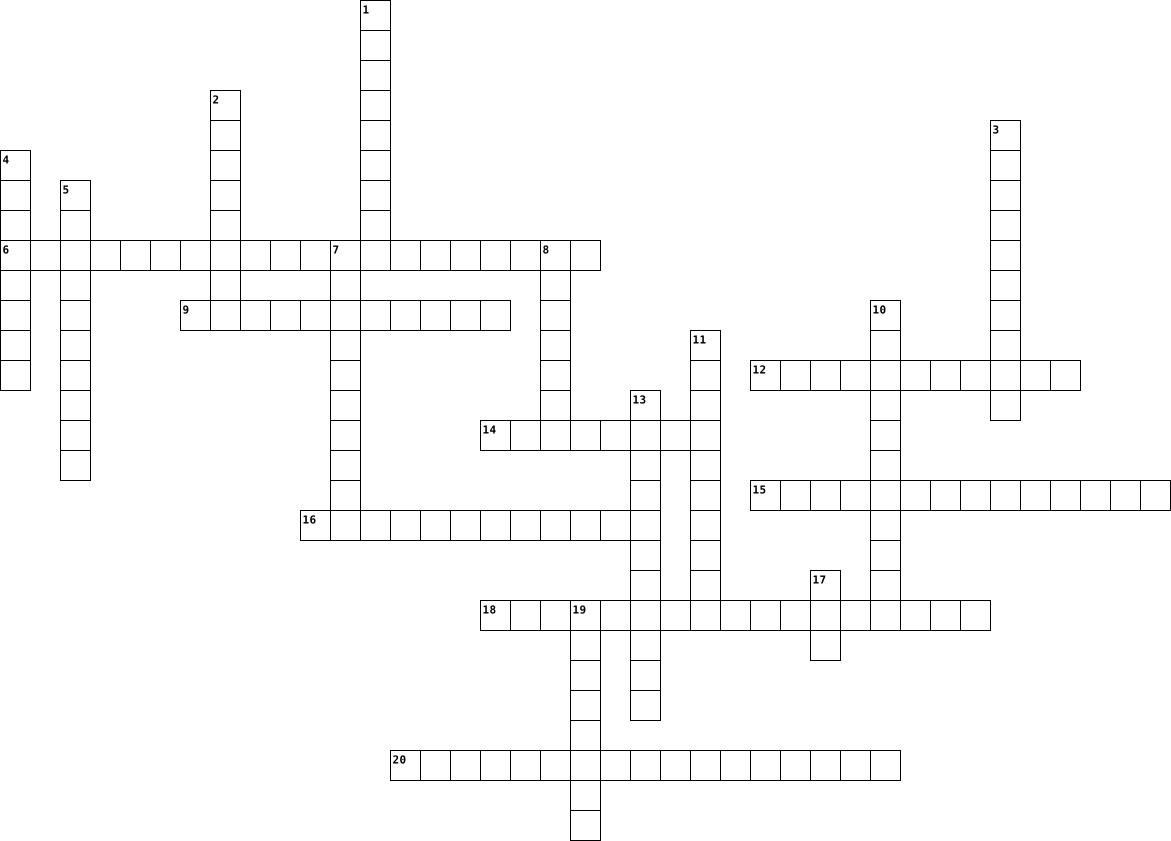
Across
- Technischer Spezialist
- Entwicklung
- Programmierung
- Datenbank
- Spezifikationen
- Fehlerbehebung
- Software-Projekte
- Betriebssysteme
Down
- Wissen
- Hardware
- Führung
- Software
- Technologie
- Programmierer
- Thema
- Zertifikat
- Erfahrung
- Pflege
- Stelle
- Ausbildung
20 Clues: Thema • Wissen • Pflege • Stelle • Führung • Hardware • Software • Erfahrung • Datenbank • Zertifikat • Ausbildung • Technologie • Entwicklung • Programmierer • Programmierung • Fehlerbehebung • Spezifikationen • Betriebssysteme • Software-Projekte • Technischer Spezialist
Unit 22 2022-03-11

Across
- Technischer Spezialist
- Entwicklung
- Programmierung
- Datenbank
- Spezifikationen
- Fehlerbehebung
- Software-Projekte
- Betriebssysteme
Down
- Wissen
- Hardware
- Führung
- Software
- Technologie
- Programmierer
- Thema
- Zertifikat
- Erfahrung
- Pflege
- Stelle
- Ausbildung
20 Clues: Thema • Wissen • Pflege • Stelle • Führung • Hardware • Software • Erfahrung • Datenbank • Zertifikat • Ausbildung • Technologie • Entwicklung • Programmierer • Programmierung • Fehlerbehebung • Spezifikationen • Betriebssysteme • Software-Projekte • Technischer Spezialist
TY Crossword 2023-11-14

Across
- Programs for creating, editing, and formatting text documents.
- Creating a complete copy or image of a computer's hard drive for backup purposes.
- Hardware used to store and retrieve digital information, such as hard drives and SSDs.
- Devices: Additional devices connected to a computer (e.g., external drives, printers).
- programs designed to detect, prevent, and remove malicious software (malware) from a computer.
- Applications that automate the process of backing up data to prevent loss in case of system failure.
- Applications for organizing and analyzing numerical data in tabular form.
- Software that connects software components or applications.
- Controls and coordinates hardware components and provides a platform for application software.
- Scheduled and automated processes for regularly backing up data.
- Tools that enhance or optimize the performance of a computer, e.g., antivirus utilities.
- Tools that remove unnecessary entries from the system registry to improve stability.
- Security software or hardware that monitors and controls incoming and outgoing network traffic.
- Hardware devices for presenting data (e.g., monitor, printer).
- Applications that play multimedia files, including audio and video.
- Software embedded in hardware to control device functionality.
- Malicious software designed to harm or exploit computers or networks.
- driver that facilitates communication between the operating system and printers.
- Tools that free up disk space by removing unnecessary files.
- Tools that help manage and optimize the health and performance of a computer system.
Down
- Software for accessing and navigating the World Wide Web.
- Hardware devices for entering data (e.g., keyboard, mouse).
- Driver: Software that allows the operating system to communicate with hardware devices.
- Programs designed for end-users to perform specific tasks.
- Manages hardware and provides services for computer programs.
- A compressed file format that reduces the size of one or more files.
- Software that aids users in creating, editing, and organizing content to enhance productivity.
- driver that enables communication between the computer and network devices.
- Feature that reverts a computer's state to a previous point in time.
- driver that manages audio output/input for sound cards.
- A file format used to present and exchange documents reliably, independent of software, hardware, or operating systems.
- Another compressed file format similar to ZIP, often used for larger files.
- Tools for creating and delivering visual presentations.
- Utilities that enhance overall system performance by optimizing settings.
- Software that secretly monitors and collects information without the user's knowledge.
- Programs for organizing, storing, and retrieving data in a structured format.
- Attempt to obtain sensitive information by pretending to be a trustworthy entity.
- Driver that controls graphics rendering for video cards.
- Regularly released improvements or fixes to software for security and performance.
- Software designed to protect a computer from various security threats.
40 Clues: driver that manages audio output/input for sound cards. • Tools for creating and delivering visual presentations. • Driver that controls graphics rendering for video cards. • Software for accessing and navigating the World Wide Web. • Programs designed for end-users to perform specific tasks. • Hardware devices for entering data (e.g., keyboard, mouse). • ...
Hardware and Software 2024-06-12

Across
- An unessential app that is not fun
- 100 giga bytes
- A second copy
- Random acess memory
- Protects you against mallicious hardware
- A logic gate
- Yes or no logic
- How many times a second
- Making a file smaller
- An app
- drive Storing files
Down
- Things you can touch
- Pre installed software
- Part of boolean
- System E.g. windows
- 1,000 bytes
- The heart of a computer
- A logic gate
- A logic gate
- Things you download
- Central processing unit
21 Clues: An app • 1,000 bytes • A logic gate • A logic gate • A logic gate • A second copy • 100 giga bytes • Part of boolean • Yes or no logic • Random acess memory • Things you download • drive Storing files • Things you can touch • System E.g. windows • Making a file smaller • Pre installed software • The heart of a computer • How many times a second • Central processing unit • ...
TTS TKJ 2026-04-19

Across
- Search engine populer yang berasal dari Rusia.
- Brainware yang bertugas menulis kode atau membuat aplikasi.
- Perangkat lunak atau instruksi yang menjalankan komputer.
- Orang yang mengoperasikan atau menggunakan komputer.
- Hardware yang terdiri dari deretan tombol huruf dan angka.
- Hardware yang mengubah dokumen fisik menjadi digital.
- Search engine legendaris yang juga dikenal dengan layanan emailnya.
- Software yang digunakan untuk membuka halaman website.
Down
- Contoh sistem operasi yang bersifat open source.
- Sekumpulan data terorganisir yang dikelola oleh software tertentu.
- Komponen fisik komputer yang dapat disentuh.
- Hardware yang berfungsi menampilkan visual/gambar.
- Alat penunjuk (pointer) pada layar komputer.
- Hardware untuk mencetak dokumen ke kertas.
- Hardware penyimpanan data sementara yang sangat cepat.
- Jenis software sistem yang mengelola hardware (Contoh: Windows, Linux).
- Search engine milik perusahaan Microsoft.
- Software yang dirancang untuk tugas spesifik (Contoh: Word, Photoshop).
- Otak dari sebuah komputer (Singkatan)
- Search engine paling populer di dunia saat ini.
20 Clues: Otak dari sebuah komputer (Singkatan) • Search engine milik perusahaan Microsoft. • Hardware untuk mencetak dokumen ke kertas. • Komponen fisik komputer yang dapat disentuh. • Alat penunjuk (pointer) pada layar komputer. • Search engine populer yang berasal dari Rusia. • Search engine paling populer di dunia saat ini. • Contoh sistem operasi yang bersifat open source. • ...
software types, drivers and devices, and applications 2023-11-14

Across
- - A software application that is designed to create, edit, and format word processing documents.
- - Central processing unit, the brain of the computer that executes instructions.
- - Software that is designed to harm a computer system, such as a virus or a Trojan horse.
- - The physical enclosure that houses the computer components.
- - A hardware device used to store data that is faster than a hard disk drive.
- - A software application that is designed to create and manage archive files, which are collections of files that have been compressed.
- - A software application that is designed to edit and enhance digital photographs.
- - A software application that is designed to create and manage backup copies of data.
- - A software application that is designed to edit and enhance digital video files.
- - A software application that is designed to play audio and video files.
- - A software application that is designed to create, edit, and format spreadsheet documents.
- - A software application that is designed to create and deliver presentations.
- - A software application that is designed to create, edit, and format spreadsheet documents.
- - A software application that is designed to store and manage data.
- - The basic software that controls a computer system.
- - A software program that allows a computer to communicate with a printer.
- - A software suite that includes a word processor, spreadsheet, presentation software, email client, and database management system.
- - A software program that allows a computer to communicate with a hardware device, such as a printer or a mouse.
Down
- - A software application that is designed to read PDF files.
- - A software application that is designed to create and deliver presentations.
- - A hardware device used to store data.
- - A hardware device that provides power to a computer.
- - A software program that performs a specific task, such as a word processor or a game.
- - Software that is designed to detect and remove malware from a computer system.
- - A software application that is designed to reduce the size of files.
- - The basic software that controls a computer system and provides common services for application programs.
- - A software application that is designed to edit and create PDF files.
- - A hardware device that allows a computer to connect to a network.
- - The low-level software that controls a hardware device, such as a BIOS or a printer's firmware.
- - A software application that is designed to allow users to access and view websites.
- - Graphics processing unit, a type of processor that is designed to accelerate graphics operations.
- - A software program that allows a computer to communicate with a monitor.
- - A software application that is designed to send and receive email messages.
- - A software program that performs a specific task to help with the maintenance or operation of a computer system, such as a disk defragmenter or a virus scanner.
- - A software suite that includes a word processor, spreadsheet, and presentation software.
- - Random access memory, a type of memory that stores data that can be accessed quickly.
36 Clues: - A hardware device used to store data. • - The basic software that controls a computer system. • - A hardware device that provides power to a computer. • - A software application that is designed to read PDF files. • - The physical enclosure that houses the computer components. • - A hardware device that allows a computer to connect to a network. • ...
Hardware & Software 2026-03-04

Across
- alat untuk menampilkan gambar dan informasi.
- program utama yang mengatur seluruh kerja perangkat.
- alat penyimpanan data yang dapat dipindahkan.
- alat untuk mengetik huruf dan angka.
- salah satu contoh sistem operasi.
- proses memperbarui perangkat lunak agar lebih baik.
- memori sementara untuk menyimpan data saat perangkat digunakan.
- kumpulan data yang disimpan dalam perangkat.
- alat untuk mencetak dokumen ke kertas.
Down
- tempat untuk menyimpan dan mengatur file.
- program yang membantu pengguna melakukan tugas tertentu.
- alat untuk menggerakkan kursor di layar.
- media penyimpanan data dalam perangkat.
- bagian utama yang mengatur dan memproses perintah.
- program yang menjalankan perintah pada perangkat.
- bagian fisik dari perangkat yang dapat dilihat dan disentuh.
- memori tetap yang menyimpan data permanen.
- sistem operasi yang banyak digunakan pada smartphone.
- alat untuk mengeluarkan suara.
- alat untuk memindai dokumen atau gambar.
20 Clues: alat untuk mengeluarkan suara. • salah satu contoh sistem operasi. • alat untuk mengetik huruf dan angka. • alat untuk mencetak dokumen ke kertas. • media penyimpanan data dalam perangkat. • alat untuk menggerakkan kursor di layar. • alat untuk memindai dokumen atau gambar. • tempat untuk menyimpan dan mengatur file. • memori tetap yang menyimpan data permanen. • ...
Hardware software 2025-04-24

Across
- The part of a computer you type on.
- The physical parts of a computer are called ___.
- The part of the computer that plays sound.
- A flat screen that shows pictures and words.
- A program used to send electronic messages.
- Fun programs you play with on a computer.
- A program for drawing pictures.
- The computer's "face" when it first turns on.
- A type of computer you can carry easily.
- Where you plug in a USB stick.
- A program that helps protect your computer from viruses.
- A program that helps you browse the internet.
- A program that lets you draw or color pictures.
- A program that helps you make charts and tables.
- The system that runs the whole computer.
Down
- The part of a computer you look at.
- A place inside the computer that stores files.
- A symbol you click to open a program.
- A program that helps you write letters.
- A phone you can use to talk, text, and go online.
- A program used to show slides in class.
- A place on your computer where you keep files organized.
- The button that turns the computer on or off.
- Lets you move the arrow on the screen.
- A machine that prints words or pictures on paper.
- Where your mouse moves on the screen.
- A machine used to copy papers.
- The "brain" of the computer.
- Lets you talk to people online.
- A small device used to store files, also called a flash drive.
30 Clues: The "brain" of the computer. • Where you plug in a USB stick. • A machine used to copy papers. • A program for drawing pictures. • Lets you talk to people online. • The part of a computer you look at. • The part of a computer you type on. • A symbol you click to open a program. • Where your mouse moves on the screen. • Lets you move the arrow on the screen. • ...
Hardware & Software 2025-04-24

Across
- A program for drawing pictures.
- A program used to send electronic messages.
- The part of a computer you look at.
- A type of computer you can carry easily.
- The part of a computer you type on.
- Where you plug in a USB stick.
- The system that runs the whole computer.
- A place on your computer where you keep files organized.
- Lets you talk to people online.
- A program that helps you browse the internet.
- A program that lets you draw or color pictures.
- The computer's "face" when it first turns on.
- A program that helps you make charts and tables.
- A program that helps you write letters.
- A machine that prints words or pictures on paper.
Down
- A program used to show slides in class.
- A phone you can use to talk, text, and go online.
- Where your mouse moves on the screen.
- A program that helps protect your computer from viruses.
- The part of the computer that plays sound.
- A flat screen that shows pictures and words.
- Lets you move the arrow on the screen.
- A machine used to copy papers.
- The "brain" of the computer.
- A place inside the computer that stores files.
- The physical parts of a computer are called ___.
- A symbol you click to open a program.
- Fun programs you play with on a computer.
- A small device used to store files, also called a flash drive.
- The button that turns the computer on or off.
30 Clues: The "brain" of the computer. • A machine used to copy papers. • Where you plug in a USB stick. • A program for drawing pictures. • Lets you talk to people online. • The part of a computer you look at. • The part of a computer you type on. • Where your mouse moves on the screen. • A symbol you click to open a program. • Lets you move the arrow on the screen. • ...
Hardware & Software 2025-04-24

Across
- A flat screen that shows pictures and words.
- The physical parts of a computer are called ___.
- The button that turns the computer on or off.
- A program that lets you draw or color pictures.
- A program for drawing pictures.
- Where your mouse moves on the screen.
- A program used to send electronic messages.
- The computer's "face" when it first turns on.
- A phone you can use to talk, text, and go online.
- A symbol you click to open a program.
- A place inside the computer that stores files.
- Fun programs you play with on a computer.
- A program that helps protect your computer from viruses.
- Lets you move the arrow on the screen.
- A program that helps you make charts and tables.
Down
- A place on your computer where you keep files organized.
- A program used to show slides in class.
- A machine that prints words or pictures on paper.
- The part of the computer that plays sound.
- A machine used to copy papers.
- The part of a computer you look at.
- Lets you talk to people online.
- The system that runs the whole computer.
- The "brain" of the computer.
- A program that helps you write letters.
- A type of computer you can carry easily.
- A program that helps you browse the internet.
- A small device used to store files, also called a flash drive.
- The part of a computer you type on.
29 Clues: The "brain" of the computer. • A machine used to copy papers. • A program for drawing pictures. • Lets you talk to people online. • The part of a computer you look at. • The part of a computer you type on. • Where your mouse moves on the screen. • A symbol you click to open a program. • Lets you move the arrow on the screen. • A program used to show slides in class. • ...
Software & Hardware 2025-08-22

Across
- Penyimpanan data sementara
- Penyimpanan eksternal via USB
- Aplikasi desain grafis populer
- Sistem operasi buatan Apple
- Sistem operasi buatan Microsoft
- Program untuk mengolah angka
- Alat untuk mencetak dokumen
- Komponen untuk tampilan grafis
- Aplikasi yang digemari perempuan
- Program utama pengendali komputer
- “Otak” komputer
- Software untuk mengakses internet
- Sistem Operasi yang dapat dimodifikasi
- Jenis Software gratis, tapi ada iklannya
- Aplikasi untuk berbagi ide kreatif dan inspirasi visual
Down
- Penyimpanan data permanen berkapasitas besar
- Salah satu e-commerce terbesar di Indonesia
- Papan komponen utama komputer
- Aplikasi yang dipakai untuk penerbitan
- Alat input suara
- Aplikasi yang dipakai untuk mengolah data barang/pegawai
- Program untuk mengetik/olah tulisan
- Aplikasi pembuat presentasi
- Perangkat untuk mendengarkan suara
- Jenis Software yang dapat diunduh, tapi berbatas waktu
25 Clues: “Otak” komputer • Alat input suara • Penyimpanan data sementara • Sistem operasi buatan Apple • Aplikasi pembuat presentasi • Alat untuk mencetak dokumen • Program untuk mengolah angka • Papan komponen utama komputer • Penyimpanan eksternal via USB • Aplikasi desain grafis populer • Komponen untuk tampilan grafis • Sistem operasi buatan Microsoft • Aplikasi yang digemari perempuan • ...
Hardware & Software 2025-10-23

Across
- Perangkat output untuk mencetak dokumen
- Menampilkan output visual dari komputer
- Perangkat output yang mengeluarkan suara
- Bilangan yang terdiri dari angka 0 sampai 8
- Perangkat penyimpanan data portabel yang bisa dibawa kemana-mana
- Aplikasi streaming video dengan logo mera
- Bagian berwujud fisik
- Perangkat penyimpanan data sementara
- Bilangan yang terdiri dari angka 0 sampai F
- Bilangan yang terdiri dari angka 0 dan 1
Down
- Aplikasi pengolah presentasi dengan format .pptx
- Perangkat penyimpanan data permanen
- Bilangan yang terdiri dari angka 0 sampai 9
- Perangkat output yang digunakan untuk memperbesar tampilan ke layar datar
- Sekumpulan program atau instruksi
- Perangkat input untuk memasukkan huruf, angka, atau simbol ke monitor
- Aplikasi e-commerce oren
- Aplikasi pengolah lembar kerja dengan format .xlsx
- Perangkat input yang menggerakkan kursor
- Sistem operasi dengan logo penguin
20 Clues: Bagian berwujud fisik • Aplikasi e-commerce oren • Sekumpulan program atau instruksi • Sistem operasi dengan logo penguin • Perangkat penyimpanan data permanen • Perangkat penyimpanan data sementara • Perangkat output untuk mencetak dokumen • Menampilkan output visual dari komputer • Perangkat output yang mengeluarkan suara • Perangkat input yang menggerakkan kursor • ...
Vendor and Commercial Management 2014-04-25

Across
- - Bill payment
- - Provide Management Information
- - Suppliers
- - Billing analysis
- - terminate a service
- - Make a purchase
- three year Hardware/Software selection
- - Bill coding
- - New Service Setup
- - Money approved to spend in any given year
- - Dispute resolution
- - How it's done
Down
- - Procurement System
- - Record of Hardware/Software assets
- - legally binding
- - Software Auditing
- - Cost tracking
- - Vendor Management
- - Software Asset Management
- - Good's In
- - Arguments
- - Vendor Liaison
- Plan, Acquire, Deploy, Manage, Retire, Control and Audit
- - Definitive Software Library - DSL
- - Order, delivery and fullfilment
25 Clues: - Suppliers • - Good's In • - Arguments • - Bill coding • - Bill payment • - Cost tracking • - How it's done • - Vendor Liaison • - legally binding • - Make a purchase • - Billing analysis • - Software Auditing • - Vendor Management • - New Service Setup • - Procurement System • - Dispute resolution • - terminate a service • - Software Asset Management • - Provide Management Information • ...
Vendor and Commercial Management 2014-04-25

Across
- three year Hardware/Software selection
- - How it's done
- - Provide Management Information
- - Money approved to spend in any given year
- - Make a purchase
- - legally binding
- - Procurement System
- - Good's In
- - Vendor Management
- - Bill coding
- - New Service Setup
- - Cost tracking
Down
- - Record of Hardware/Software assets
- - Order, delivery and fullfilment
- - Dispute resolution
- - Vendor Liaison
- - Suppliers
- - Billing analysis
- - Arguments
- - terminate a service
- - Software Asset Management
- Plan, Acquire, Deploy, Manage, Retire, Control and Audit
- - Software Auditing
- - Definitive Software Library - DSL
- - Bill payment
25 Clues: - Suppliers • - Arguments • - Good's In • - Bill coding • - Bill payment • - How it's done • - Cost tracking • - Vendor Liaison • - Make a purchase • - legally binding • - Billing analysis • - Vendor Management • - Software Auditing • - New Service Setup • - Dispute resolution • - Procurement System • - terminate a service • - Software Asset Management • - Provide Management Information • ...
IST Chapter 3 2025-05-05

Across
- – Interface used mainly for older hard drives and some SSDs.
- – Main circuit board connecting all hardware components.
- – A faster alternative to hard drives, using flash memory.
- – Manages communication between CPU, memory, and peripherals.
- – The means by which a user interacts with a computer.
- System – The method used by the OS to organize and store files.
- – Running multiple OSes on a single physical machine.
- – Basic firmware that initiates hardware during boot.
- – Text-based method for issuing commands to the OS
- – Open-source OS known for flexibility and server use.
- – Apple’s OS focused on user experience and design.
- – Software designed for end-user tasks (e.g., MS Word).
- – A computer system with a dedicated function within a larger device.
Down
- A non-volatile storage device used for storing data permanently.
- – Embedded software that controls hardware directly.
- – High-speed storage protocol ideal for modern SSDs.
- – Software enabling communication between OS and hardware.
- – Manages computer hardware and software resources.
- – Core part of the OS loaded into RAM during boot.
- – The central processing unit; acts as the brain of the computer.
- – Graphical method for user interaction (icons, windows).
- – Modern BIOS alternative with GUI and better security.
- – Software that maintains system performance (e.g., antivirus).
- – Interface allowing different software applications to interact.
- – Software’s request to the OS for hardware services.
- – Network-based services that abstract physical hardware.
- – Compact slot used for SSDs and Wi-Fi cards.
- – User-friendly OS with wide application compatibility.
- – Temporary memory where active data is stored for quick access.
- – Interface standard for expansion cards like GPUs.
30 Clues: – Compact slot used for SSDs and Wi-Fi cards. • – Core part of the OS loaded into RAM during boot. • – Text-based method for issuing commands to the OS • – Manages computer hardware and software resources. • – Apple’s OS focused on user experience and design. • – Interface standard for expansion cards like GPUs. • – Embedded software that controls hardware directly. • ...
Information System 2025-09-11

Across
- Broad category encompassing hardware, software, and networking.
- Technology that transformed communication and access to information in the 1990s.
- Growth of affordable desktop computers in the 1980s.
- Shared resources and expertise inside an organization.
- Programs that make computers useful for tasks like word processing.
- One use/reason why organizations collect data.
- Individuals who interact with an information system.
- Transmission of information across devices.
- Tangible components of technology.
Down
- Evolution of the web toward user-generated content and collaboration.
- Programs that control hardware and manage resources.
- Buying and selling goods/services online.
- Using information systems to outperform rivals.
- Combination of hardware, software, people, and process that works together.
- Type of software that provides instructions to the hardware.
- Raw facts and figures.
- Set of steps used to achieve a desired outcome.
17 Clues: Raw facts and figures. • Tangible components of technology. • Buying and selling goods/services online. • Transmission of information across devices. • One use/reason why organizations collect data. • Using information systems to outperform rivals. • Set of steps used to achieve a desired outcome. • Programs that control hardware and manage resources. • ...
Computers 2024-06-12

Across
- Named after the man who made all the logic behind computers
- Short for Central Processing Unit
- What is downloaded on the hardware
- 1 of these make 1000 megabytes
- Utility software used to size down files into a single file
- Short for Random Access Memory
- A LogicGate to decide between options of on and off
- Software used to help your computer run smoothly
- A LogicGate where every input must be on to produce an output of on
- Hardware used for storing files
Down
- The category title for AND, OR and NOT gates
- Utility software used to make copies of your data
- Utility software used to help protect your computer against malware
- 1 of these make 1000 kilobytes
- A LogicGate used to reverse on or off
- Software Software that you download to help your computer run smoothly and operate
- Refresh rate
- Where all the computer parts go onto
- System Software used to make your computer run
- Software that you download for entertainment or work
- The physical part of a computer
21 Clues: Refresh rate • 1 of these make 1000 kilobytes • 1 of these make 1000 megabytes • Short for Random Access Memory • The physical part of a computer • Hardware used for storing files • Short for Central Processing Unit • What is downloaded on the hardware • Where all the computer parts go onto • A LogicGate used to reverse on or off • The category title for AND, OR and NOT gates • ...
IST Chapter 1 :Introduction to Computers and Systems 2026-07-07

Across
- - The process of ensuring a system meets its intended requirements.
- - Temporary memory used while programs are running.
- - Designing systems with reduced environmental impact.
- - Ability of systems and devices to communicate with one another.
- - Restricting access to authorized users only.
- - Techniques used to reduce energy consumption in electronic systems.
- - The ability of a system to grow without major redesign.
- - Software that allows multiple operating systems to run on one physical machine.
- - The structured framework describing hardware, software, and communication components.
- - A collection of instructions that tells hardware what to do.
- - A serial communication interface commonly used in embedded systems.
- - Components that perform actions based on control signals.
- - A processor architecture well known for low power consumption.
- - Software responsible for managing hardware resources and applications.
- - Non-volatile memory commonly used to store firmware.
- - The capability of a system to perform consistently over time.
- - A compact chip integrating CPU, memory, and input/output interfaces.
- - Developers' obligation to ensure systems are safe and reliable.
- - The main processor used for general-purpose computation.
- - Achieving maximum performance with minimal resources.
Down
- - Operating system designed for applications requiring predictable timing.
- - Development of new technologies and improved solutions.
- - A communication protocol allowing multiple devices to communicate using two wires.
- - Programs designed to perform specific user tasks.
- - Combination of hardware, software, and peripherals working together as one system.
- - A high-speed serial communication protocol used between integrated circuits.
- - The physical components of a computer that users can touch.
- - Low-level software permanently stored in memory to control hardware.
- - Process of converting information into a secure coded format.
- - Protection of systems against unauthorized access and attacks.
- - Protecting users' personal information from unauthorized access.
- - Software used for maintenance, optimization, and protection of a computer.
- - Software that enables communication between the operating system and hardware.
- - The process of designing hardware and software together for better performance.
- - External devices connected to a computer such as printers and keyboards.
- - Testing method performed in a virtual environment before deployment.
- - Network of physical devices connected to the internet.
- - Devices that convert physical conditions into electrical signals.
- - Artificial intelligence processing performed directly on the device.
39 Clues: - Restricting access to authorized users only. • - Temporary memory used while programs are running. • - Programs designed to perform specific user tasks. • - Designing systems with reduced environmental impact. • - Non-volatile memory commonly used to store firmware. • - Achieving maximum performance with minimal resources. • ...
Computers and Technology Vocabulary 2025-03-20

Across
- A digital camera used for video communication over the internet.
- A professional who designs, builds, or maintains technology and software.
- A set of coded commands that tell a computer or software how to perform a task.
- A mobile device with computing capabilities, including internet access, apps, and communication features.
- A powerful computer or system that manages network resources and provides data or services to other devices.
- A test or trial to explore new technology, software, or hardware capabilities.
- To modify or replace something in a system, program, or device.
- The link between devices or networks that allows communication or data transfer.
- A process to check if a system, software, or hardware functions correctly.
- The programs and applications that run on a computer or device, such as operating systems and apps.
- A space where experiments and technological research are conducted.
Down
- The physical components of a computer system, such as the processor, monitor, and keyboard.
- To produce or develop digital content, software, or a new program.
- The physical tools and devices used in computing, such as servers, routers, or peripherals.
- A new technological creation, such as a device, software, or computing method.
- To build or improve software, applications, or technological systems.
- The process of planning and structuring software, websites, or hardware.
- A hand-held device used to control a computer’s cursor and interact with the interface.
- To set up software, drivers, or updates on a computer or device.
- A sudden failure of a computer, software, or system that causes it to stop working.
20 Clues: To modify or replace something in a system, program, or device. • A digital camera used for video communication over the internet. • To set up software, drivers, or updates on a computer or device. • To produce or develop digital content, software, or a new program. • A space where experiments and technological research are conducted. • ...
Software 2017-05-11

Across
- The central part of the computer that works with most tasks
- Hardware that handles graphical aspects
- This allows you to communicate with your computer
- Ran on some apple products
- This allows you to interact with your system
- Type of software that provides control and monitoring for a device
- This allows you to safely run code
- The number issued to a piece of memory hardware
Down
- Personalised or created for your specific interests
- The Microsoft operating system
- The physical parts of a computer
- A geographical education software
- Something you run
- The software that interfaces with hardware and software
- Example of word processing software
- A list of instructions for a task
16 Clues: Something you run • Ran on some apple products • The Microsoft operating system • The physical parts of a computer • A geographical education software • A list of instructions for a task • This allows you to safely run code • Example of word processing software • Hardware that handles graphical aspects • This allows you to interact with your system • ...
Computer Fundamentals 2025-11-27

Across
- Hardware that detects or measures physical changes in the environment and converts them into a digital signal for a computer to process.
- A hardware component used to point, click, and select items on screen.
- Instructions for a computer
- Software tools that perform maintenance tasks like scanning for viruses.
- Software used to perform specific tasks such as word processing.
- A type of secondary storage that uses spinning magnetic disks.
- Another storage device like a hard drive with no moving parts.
- The main circuit board that connects major computer components.
- A group of connected computers.
- Temporary working memory that is erased when power is lost.
- Name given to all hardware devices of a computer.
Down
- Permanent memory that stores important instructions needed for booting the computer.
- The part of the CPU that performs arithmetic and logic operations.
- Application software made up a collection of rows and columns.
- Software that protects the computer from malicious programs.
- The program that manages hardware, software, and resources on a computer.
- The “brain” of the computer responsible for executing instructions.
- The hardware of the computer that accepts data from the user.
- Physical parts of the computer
- Group of storage device that stores large amounts of information long-term, even when the computer is off.
- The visual display unit of a computer.
- Short term or temporary storage of the computer.
- Devices that display or produce processed information.
23 Clues: Instructions for a computer • Physical parts of the computer • A group of connected computers. • The visual display unit of a computer. • Short term or temporary storage of the computer. • Name given to all hardware devices of a computer. • Devices that display or produce processed information. • Temporary working memory that is erased when power is lost. • ...
latihan harian informatika kelas 6 2024-10-15

Across
- menampilkan gambar secara offline ?
- os yang logo nya seperti pinguin ?
- teks rata kanan ?
- software pengolah gambar ?
- software pengolah angka ?
- os yang logo nya seperti Apel ?
- hardware untuk mencetak dokument ?
- ikon untuk menggaris bawahi huruf ?
- menampilkan table pada dokument ?
- hardware untuk mengetik ?
Down
- menampilkan huruf secara otomatis ?
- software pengolah kata ?
- teks rata tengah ?
- teks rata kiri ?
- ikon untuk menebalkan huruf ?
- hardware untuk menampilkan data pada layar ?
- teks rata kanan kiri ?
- hardware untuk menampilkan suara ?
- hardware untuk menggerakan kursor ?
- ikon untuk memiringkan huruf ?
20 Clues: teks rata kiri ? • teks rata kanan ? • teks rata tengah ? • teks rata kanan kiri ? • software pengolah kata ? • software pengolah angka ? • hardware untuk mengetik ? • software pengolah gambar ? • ikon untuk menebalkan huruf ? • ikon untuk memiringkan huruf ? • os yang logo nya seperti Apel ? • menampilkan table pada dokument ? • os yang logo nya seperti pinguin ? • ...
HARDWARE AND SOFTWARE VOCABULARY 2024-07-18

Across
- A type of volatile memory that allows data to be accessed quickly by the CPU for processing tasks.
- A specialized processor designed to accelerate graphics rendering and handle parallel processing tasks.
- Software that emulates a computer system, allowing multiple operating systems to run on a single physical machine simultaneously.
- Management System Software that provides tools for managing databases, allowing users to define, create, maintain, and control access to data.
- An external device connected to a computer, such as a keyboard, mouse, printer, or external drive, expanding the computer's functionality.
- Software designed to perform specific tasks for end-users, such as word processing or web browsing.
- A type of non-volatile storage media that uses flash memory to store data, offering faster read and write speeds than traditional hard drives.
- A device that absorbs and dissipates heat from another object, typically used to cool CPUs and GPUs.
- Software that provides comprehensive facilities to programmers for software development, including a code editor, compiler, and debugger.
Down
- Specialized software programmed onto hardware devices to provide low-level control for the device's specific hardware.
- Software that acts as a bridge between an operating system or database and applications, enabling communication and data management.
- The Unit that supplies energy to a computer by converting electrical power from an outlet into a usable form for internal components.
- The primary component of a computer that performs most of the processing inside a computer, executing instructions from programs.
- A hardware component that connects a computer to a network, allowing it to communicate over the internet or a local network.
- Firmware built into the PC's motherboard that initializes hardware during the booting process and provides runtime services for operating systems and programs.
- The main circuit board of a computer, housing the CPU, RAM, and other essential components, and providing electrical connections between them.
- A type of software that manages computer hardware and software resources, and provides common services for computer programs.
- Software that allows an operating system to communicate with hardware devices, ensuring proper functionality of peripherals.
- A software update that fixes bugs, improves functionality, or enhances security in existing programs or operating systems.
- A set of protocols and tools that allow different software applications to communicate with each other.
20 Clues: A type of volatile memory that allows data to be accessed quickly by the CPU for processing tasks. • Software designed to perform specific tasks for end-users, such as word processing or web browsing. • A device that absorbs and dissipates heat from another object, typically used to cool CPUs and GPUs. • ...
Computer Basics #2 Software Basics First Hour 2026-02-14

Across
- SOFTWARE Category of software that includes word processors, spreadsheets, and games (11, 8)
- DRIVER Another name for system software that helps hardware work (7,7)
- Example of a web browser made by Google (6)
- SOFTWARE Type of software that manages hardware and runs applications (6, 6)
- Programs that come pre-installed on a new computer (9)
- CONFERENCING Type of application for video calls like Zoom (13)
- The opposite of hardware (8) (wait, clue should be "opposite of software")
- Open-source operating system often used on servers and by enthusiasts (6)
- Microsoft program for creating documents and letters (4)
- Software that protects against viruses (9)
- Software you use to surf the internet, like Chrome or Firefox (8)
- Type of software written for a specific task or user need (11)
- Software that controls printing and other devices (7)
- Microsoft Office program for calculations and tables (5)
Down
- Short for "application" in casual talk (3)
- Programs that help manage files, disks, or backups (7)
- EDITOR Software like Paint or Photoshop for editing pictures (5,8)
- SOURCE Free software you can use and modify (4,6)
- Apple's operating system for Macs (5)
- Software that translates high-level code to machine code (8)
- Software that runs in the background to keep things updated (7) (adjust clue if needed)
- Fun programs you play for entertainment, like Minecraft or Solitaire (5)
- Small programs that add features to a browser (10)
- Operating system family that includes Ubuntu and Fedora (5) (note: repeated for fit if needed, but adjust)
- General term for programs and instructions that tell a computer what to do (8)
- USER INTERFACE The screen and icons you click on to use a computer (8,9)
- Software built into a device that starts when you turn it on (3)
- SOFTWARE Software you pay for once or subscribe to (10)
- Popular operating system made by Microsoft (7)
- A program that compresses or organizes files (6)
30 Clues: Apple's operating system for Macs (5) • Short for "application" in casual talk (3) • Software that protects against viruses (9) • Example of a web browser made by Google (6) • Popular operating system made by Microsoft (7) • A program that compresses or organizes files (6) • SOURCE Free software you can use and modify (4,6) • ...
Operating System Term Crossword Puzzles 2025-10-27

Across
- A small update that fixes bugs or security issues in software.
- Computing Using internet-based servers to store data and run software instead of local devices.
- Software Software with code available for anyone to view or modify (e.g., Linux).
- Software Programs that perform specific tasks for users, such as Microsoft Word or Excel.
- Process The series of steps a computer goes through when starting up the operating system.
- Running more than one program or process at the same time.
- Management Organizing, saving, and retrieving data stored on a computer.
- Compatibility How well different systems (OS, hardware, apps) work together.
- Software Software that controls hardware and allows applications to run.
Down
- Office Suite A collection of productivity software including Word, Excel, PowerPoint, and Outlook.
- Tools Applications that help users perform common tasks like writing, calculating, or presenting.
- User Interface (GUI) A visual interface using icons, buttons, and menus instead of text commands.
- The physical parts of a computer such as the monitor, keyboard, and hard drive.
- Environment The workspace on your screen that includes icons, taskbars, and menus.
- Software Software owned by a company that restricts modification or redistribution (e.g., Windows).
- System (OS) Software that manages computer hardware and provides services for application programs.
- / Upgrades New versions or patches that fix bugs, improve security, or add features.
- The ability of software or hardware to function properly together.
- Programs and operating information used by a computer.
- Interface (UI) The part of an OS or app that allows users to interact with the computer visually.
20 Clues: Programs and operating information used by a computer. • Running more than one program or process at the same time. • A small update that fixes bugs or security issues in software. • The ability of software or hardware to function properly together. • Management Organizing, saving, and retrieving data stored on a computer. • ...
HARDWARE AND SOFTWARE VOCABULARY 2024-07-18

Across
- Software designed to perform specific tasks for end-users, such as word processing or web browsing.
- A type of software that manages computer hardware and software resources, and provides common services for computer programs.
- The primary component of a computer that performs most of the processing inside a computer, executing instructions from programs.
- Software that allows an operating system to communicate with hardware devices, ensuring proper functionality of peripherals.
- The main circuit board of a computer, housing the CPU, RAM, and other essential components, and providing electrical connections between them.
- Sink A device that absorbs and dissipates heat from another object, typically used to cool CPUs and GPUs.
- Software that emulates a computer system, allowing multiple operating systems to run on a single physical machine simultaneously.
- A software update that fixes bugs, improves functionality, or enhances security in existing programs or operating systems.
- Software that provides comprehensive facilities to programmers for software development, including a code editor, compiler, and debugger.
Down
- Supply Unit The component that supplies power to a computer by converting electrical power from an outlet into a usable form for internal components.
- Specialized software programmed onto hardware devices to provide low-level control for the device's specific hardware.
- A specialized processor designed to accelerate graphics rendering and handle parallel processing tasks.
- Software that acts as a bridge between an operating system or database and applications, enabling communication and data management.
- An external device connected to a computer, such as a keyboard, mouse, printer, or external drive, expanding the computer's functionality.
- Firmware built into the PC's motherboard that initializes hardware during the booting process and provides runtime services for operating systems and programs.
- A type of non-volatile storage media that uses flash memory to store data, offering faster read and write speeds than traditional hard drives.
- Management System Software that provides tools for managing databases, allowing users to define, create, maintain, and control access to data.
- A set of protocols and tools that allow different software applications to communicate with each other.
- A type of volatile memory that allows data to be accessed quickly by the CPU for processing tasks.
- A hardware component that connects a computer to a network, allowing it to communicate over the internet or a local network.
20 Clues: A type of volatile memory that allows data to be accessed quickly by the CPU for processing tasks. • Software designed to perform specific tasks for end-users, such as word processing or web browsing. • A specialized processor designed to accelerate graphics rendering and handle parallel processing tasks. • ...
TYPES OF SOFTWARE 2025-01-12

Across
- Programs designed to perform specific tasks for users, such as word processing or web browsing.
- Allows the operating system to communicate with hardware devices.
- Software that is available for use at no cost but may have limitations on use or distribution (e.g., Skype for communication, Adobe Acrobat Reader for PDF viewing).
- Software that connects different applications or services, facilitating communication and data management.
- The primary software that manages computer hardware and software resources.
- Proprietary software with restricted access to its source code (e.g., Microsoft Office).
- Software distributed on a trial basis, allowing users to evaluate it before purchasing.
- Tools used by programmers to create applications, such as IDEs (Integrated Development Environments).
- The software that manages hardware components and provides a platform for application software.
- A software application used to access and view websites on the internet.
- Software that is owned by an individual or a company and has restrictions on its use and distribution.
Down
- Programs specifically designed for gaming, including both single-player and multiplayer experiences.
- Tools that perform maintenance tasks for computers, such as virus scanning and disk management.
- Software with source code that anyone can inspect, modify, and enhance (e.g., Linux).
- Applications designed specifically for mobile devices like smartphones and tablets.
- Provides maintenance and optimization functions for the computer.
- Applications hosted on remote servers and accessed via the internet, allowing for flexible usage across devices.
- Applications designed to create, manage, and manipulate databases.
- Specialized software programmed into hardware devices to control their functions.
19 Clues: Allows the operating system to communicate with hardware devices. • Provides maintenance and optimization functions for the computer. • Applications designed to create, manage, and manipulate databases. • A software application used to access and view websites on the internet. • The primary software that manages computer hardware and software resources. • ...
COMPUTER 2025-01-13

Across
- Writing instructions that a computer can execute.
- Related to systems that run computer hardware.
- A global network of interconnected computers.
- Measures to protect computers and networks from attacks.
- The process of finding and fixing errors in code.
- A boundary for interaction between systems or humans and computers.
- An input device used to type text into a computer.
- A step-by-step procedure to solve a specific problem.
- The component that executes instructions in a computer.
- Connecting computers to share resources and information.
- Hardware that interacts with a computer, like printers or scanners.
Down
- Devices or media where digital data is saved.
- Related to non-natural intelligence developed by humans.
- Creating a virtual version of hardware, software, or resources.
- Programs and operating information used by a computer.
- A system designed to block unauthorized access to a network.
- A collection of organized data stored electronically.
- The physical components of a computer system.
- The process of converting data into a secure format.
- Software that converts code into machine language.
- Visual data generated and displayed by a computer.
- Hardware that stores data temporarily or permanently.
- A combination of hardware and software working together.
- The ability of machines to mimic human cognitive functions.
24 Clues: Devices or media where digital data is saved. • A global network of interconnected computers. • The physical components of a computer system. • Related to systems that run computer hardware. • Writing instructions that a computer can execute. • The process of finding and fixing errors in code. • Software that converts code into machine language. • ...
SOFTWARE & HARDWARE 2024-09-11

Across
- The enhanced control and nuance provided by hardware controllers in music production
- The process of arranging MIDI notes or audio events in a DAW
- Type of gear emulated by digital plugins for warmth and character
- Mathematical formulas used in DSP to process and enhance audio
- Protocol that revolutionized communication between instruments and computers
- Devices used for triggering drum sounds and loops in a DAW
- Technology used for real-time audio effects processing and manipulation
- Common connection format supported by digital audio interfaces
- Processing that happens immediately without noticeable delay
- Delay between input and output signals in a digital audio system
Down
- Collections of samples used by musicians for composition and sound design
- Hardware devices used to control software instruments and effects
- Software-based instrument that emulates analog synthesizers
- Software emulations of traditional instruments and sound sources
- High-speed connection format often used by audio interfaces
- Interfaces Devices that facilitate recording and playback between computers and audio devices
- Keyboards Controllers that send note and velocity data to trigger software sounds
- Software platform for audio recording, editing, mixing, and mastering
- Instruments that use pre-recorded sounds and loops as building blocks
- The simulation of analog hardware components in the digital domain
20 Clues: Devices used for triggering drum sounds and loops in a DAW • Software-based instrument that emulates analog synthesizers • High-speed connection format often used by audio interfaces • The process of arranging MIDI notes or audio events in a DAW • Processing that happens immediately without noticeable delay • ...
IST Chapter 1 & 2 2025-04-24

Across
- Permanent memory storing firmware and essential instructions.
- The main circuit board connecting all hardware components.
- A serial communication protocol used in embedded systems.
- Temporary memory used by systems to run programs and process data.
- Core software that manages computer hardware and software resources.
- Devices like keyboard or mouse used to enter data into a computer.
- A device that acts in response to a signal, such as a motor or light.
- A compact integrated circuit that contains a processor, memory, and I/O interfaces.
- Devices like monitor or printer used to present data from a computer.
- Internet-enabled devices that can monitor and control systems remotely.
- Techniques used to reduce energy usage in embedded systems.
- Software that enables the OS to interact with hardware devices.
- Software that enables multiple OSes to run on the same hardware.
- Protection of systems from digital attacks.
- Sophisticated software that manages system resources and enhances performance.
- Delivery of computing services over the internet.
- A system combining hardware and software to perform a specific function.
Down
- Components like HDD or SSD used to store data long-term.
- Software tools for system maintenance like antivirus or backup tools.
- Technology to create virtual versions of computing resources.
- Software embedded into hardware to control low-level device functions.
- Another serial protocol for communication between microcontrollers and peripherals.
- The CPU of a computer system, performing general computations.
- A serial communication protocol common in microcontrollers.
- A process to validate system performance and reliability.
- An operating system designed for real-time applications.
- Measured in GHz, determines how fast a CPU can process instructions.
- A device that converts physical input into electrical signals.
- The feature of systems being linked to other systems or networks.
- A popular architecture for low-power embedded processors.
30 Clues: Protection of systems from digital attacks. • Delivery of computing services over the internet. • Components like HDD or SSD used to store data long-term. • An operating system designed for real-time applications. • A serial communication protocol used in embedded systems. • A process to validate system performance and reliability. • ...
🧩 Crossword – Chapter 3 (Hardware & Software Components) 2026-04-22

Across
- High-speed interface used for expansion cards
- Main board that connects CPU, RAM, and other components
- Measurement of how many cycles a CPU can perform per second
- Firmware that initializes hardware during startup
- Mechanism used by applications to request services from OS
- Function that controls how RAM is used and prevents conflicts
- Component that organizes and manages data storage
- Older storage interface slower than NVMe
- Operating system known for wide compatibility and user-friendly design
- Technology allowing multiple OS to run on one machine
- Software that allows the OS to communicate with hardware devices
- Software that manages hardware resources and provides services to applications
- Pathway that transfers data between components
- Interface that allows software applications to communicate with each other
- Software that runs and manages hardware and applications
- Layer that allows users to interact with the system
Down
- Speed at which data can be accessed from memory
- Programs designed to perform specific user tasks
- Core part of the operating system loaded into memory
- Simulated computer system running inside another system
- Function that allocates CPU time to different running programs
- Low-level software embedded in hardware for initialization
- Operating system tightly integrated with Apple hardware
- Compact slot used for high-speed SSDs and modules
- Component that controls data flow between hardware parts
- Modern firmware replacing BIOS with faster boot and better security
- Sequence of steps when a computer starts up
- Delivery of computing services over the internet
- High-speed storage interface designed for SSD performance
- Open-source operating system known for flexibility and customization
30 Clues: Older storage interface slower than NVMe • Sequence of steps when a computer starts up • High-speed interface used for expansion cards • Pathway that transfers data between components • Speed at which data can be accessed from memory • Programs designed to perform specific user tasks • Delivery of computing services over the internet • ...
Computer Concepts 2020-10-14

Across
- An output device.
- Largely determines how fast a computer operates.
- Wide Area Network
- Word processing software application.
- Physical components of the computer system.
- The 2nd step in the computer process.
- Group of computers linked together to share information, communication and/or resources.
- Brains of the computer system.
- A trillion bytes of information.
- Typically holds 4-128 GB of information.
- A billion bytes of information.
- The 3rd step in the computer process.
- The 1st step in the computer process.
- Developed in 1969.
Down
- One piece of information such as one letter.
- Used for calculating and manipulating numbers and creating charts/graphs of data.
- Manages hardware, software and files.
- Extra, external hardware components such as a printer.
- Changes as software programs are updated.
- PowerPoint is an example.
- Spreadsheet application program.
- Category of software programs.
- Local Area Network
- An input device.
- World wide network of networks.
- Instructions that make computer hardware work.
- The final step in the computer process.
27 Clues: An input device. • An output device. • Wide Area Network • Local Area Network • Developed in 1969. • PowerPoint is an example. • Category of software programs. • Brains of the computer system. • A billion bytes of information. • World wide network of networks. • Spreadsheet application program. • A trillion bytes of information. • Manages hardware, software and files. • ...
Computer- Aayush Mehta 2020-09-30

Across
- A Hardware to enhance your voice volume
- A Hardware that is used to play music on a microscopic device
- Is how the computer tells you things
- Drive A Hardware that used for storing things
- Office Is a software that has a bunch of programs inside of it (Word, Powerpoint, etc..)
- Is the permanent storage in your computer
- Considered the first computer in 2600 BC in China
- Is hardware used to click/interact
- Is hardware used to type
- A type of network that allows you to access the internet in a wide area
- It is a software that is used to play videos on your computer
- Used for Primary Storage (Also Known as Random Access Memory)
- Are hardware to listen to (Dank) music
- The centre of the network
Down
- It is the temporary storage in your computer
- The main part to make a computer
- Is a hardware that is used for the graphics on your computer
- Were first used to describe people with a lot of knowledge
- Things on the computer that you cannot touch
- Can be used as a software or hardware to mark your location
- Tells what the computer needs to do
- An ancient controller that is a hardwa
- and used to play on an atari 2600
- Hardware used to record your face
- Software that allows you playthings
- Parts of a device you can touch
- Used to find how much stuff is in your computer
- Computer Processing Unit
- is a type of network that is only in a specific location
- Is a Software that is made by apple
- Read Only Memory
- Software used to access the internal features of your computer/phone
- She the considered the first computer programmer to put the first algorithm in a computer
33 Clues: Read Only Memory • Is hardware used to type • Computer Processing Unit • The centre of the network • Parts of a device you can touch • The main part to make a computer • and used to play on an atari 2600 • Hardware used to record your face • Is hardware used to click/interact • Tells what the computer needs to do • Software that allows you playthings • ...
Chapter 4 - Key Words 2023-11-29

Across
- ______ system, a program that manages the computer, allows the user to communicate with the computer, and allows software to be run.
- The method by which a user communicates with a computer.
- A signal sent to the processor to tell it that its attention is required.
- A viewing area that is created in which a software application or file can be opened.
- ______ code is binary code, an example of a low-level language.
- the first commands loaded when a computer starts, it checks hardware and loads the firmware.
- A programming language which allows direct manipulation of hardware.
- Converts one coding language to another.
- A translator which checks and then executes each line before moving on to the next.
Down
- An example of application software to store and manipulate data.
- ______ level languages are programming languages which use English-like commands.
- ______ level languages are programming languages which is closer to machine code.
- ______ software, a type of software that allows the user to perform a useful task.
- A series of instructions written in a programming language that performs a function.
- A hardware device, used to input, store or output data from a computer, that is not directly part of the computer itself.
- Instructions that are stored in the ROM and are loaded when the computer starts.
- A type of application software that performs calculations on data.
- ______ software, a type of software that manages the hardware and software in a computer.
- Translates assembly to machine code.
- A program that controls a device, for example, a printer or a keyboard.
20 Clues: Translates assembly to machine code. • Converts one coding language to another. • The method by which a user communicates with a computer. • An example of application software to store and manipulate data. • ______ code is binary code, an example of a low-level language. • A type of application software that performs calculations on data. • ...
Computer Fundamentals Part 2 (Joshua Smith) 2022-02-09

Across
- sends data to the computer for processing
- The Macintosh operating system.
- Software used to prepare text documents
- very small computing devices.
- Replacing software with a newer version
- Software that is downloadable for a free trial
- Electronic device that accepts data, processes data, stores data, and produces a result.
- rapid search and retrieval.
- Software applied over software that you already have installed to correct errors.
- Software given away by the author
- System software that provides an interface between the user or application program and the computer hardware.
Down
- Designed to be placed on a desk and modular
- Software used to create and edit information to present a slideshow
- Software available to the public without cost.
- Short for Disk Operating System, first widely installed OS
- Battery-powered portable computers
- A grid of rows and columns into which you enter text and numerical data
- cannot see and touch
- gives you the right to install software on a single computer.
- physical parts of a computer
20 Clues: cannot see and touch • rapid search and retrieval. • physical parts of a computer • very small computing devices. • The Macintosh operating system. • Software given away by the author • Battery-powered portable computers • Software used to prepare text documents • Replacing software with a newer version • sends data to the computer for processing • ...
software types, drivers and devices, the different applications(Applications, Utilities, Anti-Virus, Backup and Maintenance, File Compression Apps, Productivity Apps PDF) 2023-11-14

Across
- Software that is available for use at no cost.
- embedded in hardware devices, providing low-level control for the specific device.
- A security system that monitors and controls incoming and outgoing network traffic.
- Software that acts as an intermediary between different applications or software components.
- Software hosted and delivered over the internet, eliminating the need for local installation.
- The part of a filename that follows the last dot, indicating the file format or type.
- Software distributed for free, but with the option to pay for additional features or a premium version.
- _________ Software: Software designed to protect a computer system and its data from unauthorized access, malware, and other security threats.
- A utility for collecting many files into one archive file.
- Software that provides comprehensive tools for software development, including code editing and debugging.
- wrote the world's first piece of software for the Manchester Baby computer at the University of Manchester in England.
- ____ Source Software: Software with a license that allows its source code to be freely available, modifiable, and distributable.
- How easily the software can be modified to add and improve features, fix bugs, etc.
- Software integrated into hardware devices to control their functions.
- is an organized collection of data
- Applications that mimic real-world processes for analysis and training.
- Software's ability to carry out its specified functions.
- The suitability of the software for use in a variety of environments, such as with different OSes, devices and browsers.
- Software tools that create copies of data to prevent loss in case of hardware failure or data corruption.
- Software designed to detect, prevent, and remove malicious software.
Down
- A collection of data or information stored under a specific name and location on a computer.
- is the act of reducing the size of a file while preserving the original data
- The measure of the software's ability to increase or decrease performance in response to changes in its processing demands.
- Software programs designed to perform specific tasks for the user, such as word processors, web browsers, and games.
- Devices that allow users to input data into a computer, such as keyboards and mice.
- A video conferencing and online meeting platform.
- The process of converting information into a code to secure it from unauthorized access.
- ________ Software: Software used in the process of creating other software, including compilers, debuggers, and integrated development environments
- Programs that protect against various types of malicious software.
- The specific way in which information is encoded in a file, often indicated by the file extension
- _______ Driver: Software that allows the operating system to communicate with and control specific hardware devices.
- Software software designed to help manage and tune computer hardware, operating system, or application software.
- The system software that manages hardware resources and provides services for computer programs.
- The ability of the software to perform well without wasting energy, resources, effort, time or money.
- Devices that display or produce output, such as monitors and printers.
- ______ Source Software: Software whose source code is not freely available or modifiable.
- Older software that continues to be used, often due to compatibility reasons.
- is a set of instructions, data or programs used to operate computers and execute specific tasks.
- Devices connected to a computer, such as printers, scanners, and external drives.
- A file compression and decompression tool used in Unix-based systems.
- ________ Software: Software designed to provide a platform for other software to run on, including operating systems and utility software.
41 Clues: is an organized collection of data • Software that is available for use at no cost. • A video conferencing and online meeting platform. • Software's ability to carry out its specified functions. • A utility for collecting many files into one archive file. • Programs that protect against various types of malicious software. • ...
MrG - Using Computers Safely 2025-12-18

Across
- Converts electricity from the wall to power the computer parts.
- Software designed to detect and remove malware.
- Another name for the CPU.
- A pointing device used to interact with a GUI.
- Fast storage with no moving parts (Solid State Drive).
- SYSTEM System software that manages files and hardware (e.g., Windows).
- Hardware that sends data packets between different networks.
- An output device that produces physical copies of documents.
- An input device that converts paper documents into digital files.
- A group of 8 bits.
- The smallest unit of binary data (0 or 1).
- An output device that plays sound.
- Software used to store and organize large amounts of data.
- The main circuit board that connects all internal components.
- An input device used for video conferencing.
- Any external device connected to a computer (e.g., mouse, printer).
- Software used to make file sizes smaller.
- Volatile memory used to store data currently being processed.
- An input device used to capture audio.
- The base-2 language of computers.
- Security software that monitors incoming/outgoing network traffic.
Down
- Hardware used specifically to render 3D images and games.
- Scrambling data so it cannot be read without a key.
- An input device used for entering text.
- Software used for calculations and graphs (e.g., Excel).
- Software that tells the OS how to communicate with hardware.
- Small programs that maintain the computer (e.g., defragmenters).
- The primary output device for visual data.
- A metal component used to keep the CPU from overheating.
- Older, magnetic storage with spinning disks (Hard Disk Drive).
- Software used to access the World Wide Web.
- Non-volatile memory containing the computer’s boot instructions.
- Software that allows users to perform specific tasks.
- Permanent software programmed into a hardware device.
- PROCESSOR Software used for creating text documents (e.g., Google Docs).
35 Clues: A group of 8 bits. • Another name for the CPU. • The base-2 language of computers. • An output device that plays sound. • An input device used to capture audio. • An input device used for entering text. • Software used to make file sizes smaller. • The primary output device for visual data. • The smallest unit of binary data (0 or 1). • ...
Computing 2026-03-16

Across
- A popular operating system developed by Microsoft.
- Temporary memory used to store data and instructions while programs are running.
- The part of a computer that stores data and instructions.
- Software that helps maintain, protect, or manage the computer system.
- The main system software that controls the computer and manages hardware and software.
- Software Software used by users to perform tasks such as writing or playing games.
- Software that manages the computer hardware and runs other software.
- Permanent memory that stores start-up instructions for the computer.
Down
- The physical parts of a computer that you can touch.
- A utility process that reorganises files on a disk to improve performance.
- The stage where the CPU carries out the instruction.
- A mobile operating system used in many smartphones and tablets.
- Programs and instructions that tell a computer what to do.
- The language of computers using only 0s and 1s.
- The stage where the CPU gets an instruction from RAM.
- A set of instructions that tells a computer how to perform a task.
- The stage where the CPU understands the instruction.
- Utility software that detects and removes computer viruses.
- The brain of the computer that processes instructions.
- A command that tells the computer what action to perform.
20 Clues: The language of computers using only 0s and 1s. • A popular operating system developed by Microsoft. • The physical parts of a computer that you can touch. • The stage where the CPU carries out the instruction. • The stage where the CPU understands the instruction. • The stage where the CPU gets an instruction from RAM. • ...
communication 2022-11-15
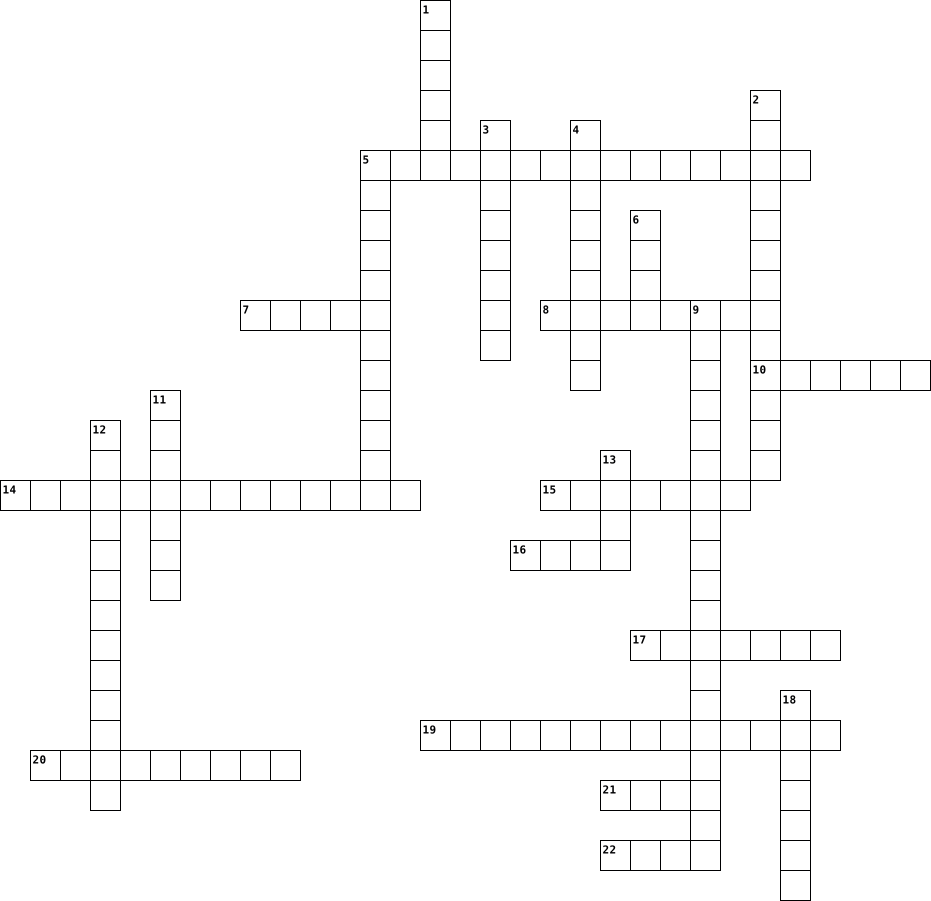
Across
- system software that provides interface for application software to access computer hardware
- data which is entered into a computer for processing and/or storage
- physical parts of a computer such as a screen
- the appearance of a document, including fonts, colors and size
- computer hardware that stores data for a long time
- computer interface design where graphical control buttons, icons, menus or other input or output elements are placed
- a point which connects a computer to its peripheral devices
- putting a new program onto a computer
- software that manages computer hardware and software
- the hardware or chip in the computer that executes or performs operations on programs
- value, typically letters or number
- anything you can save on a computer
Down
- a unit of physical hardware such as a printer
- the means by which a computer user interacts with a computer
- a secret word or combination of letters and numbers used to get access to a computer system
- the part of a computer program with which the user can interact
- a device used to get data or information from a computer
- darkening of texts
- a software program that allows a computer user to perform specific tasks
- a sequence of instructions for a computer
- an application used to write, edit and format texts
- a style applied to a text, for example Times New
- the structure of language and how different words fit together
23 Clues: darkening of texts • value, typically letters or number • anything you can save on a computer • putting a new program onto a computer • a sequence of instructions for a computer • a unit of physical hardware such as a printer • physical parts of a computer such as a screen • a style applied to a text, for example Times New • ...
Software 2023-12-01

Across
- The operating software must be loaded into where so that the other programs can be opened.
- The programs are turned into these different things to do almost anything.
- An example of an operating software.
- An example of a utility program.
- Another type of software.
- The main job is allowing the hardware, software and the user to communicate.
- One type of software.
Down
- The System software resides in this area to allow hardware and applications to communicate with each other.
- Another name for RAM.
- A program that contains instructions needed for the hardware to work.
- Another name that the utility software is known as.
- What would you have to do in order for a new hardware to run before you can use it?
- the collection of programs that tell the computer what to do.
- The software used to repair minor errors and clean up disk drives on the computer.
- As soon as the computer turns on, the system software takes control and starts.
15 Clues: Another name for RAM. • One type of software. • Another type of software. • An example of a utility program. • An example of an operating software. • Another name that the utility software is known as. • the collection of programs that tell the computer what to do. • A program that contains instructions needed for the hardware to work. • ...
Computer Software 2020-02-03

Across
- Downloadablefrom the internet, pay after trial basis
- Given away by the author, who retains copyright
- A group of programs that coordinates and controls the resources and operations of a computer system (operating system, utility software, language translators)
- Software that helps you perform a specific task (Word, excel, internet browsers)
- Program that translates computer code written by a programmer into executable program
- Applied over software that you already have installed to correct errors
- Using data from one program into the other programs
- Gives you permission to use the program
- Unique identifier for each record
- Software included with a new computer
- system Provides an interface between the user or application program and the computer hardware
- Column
Down
- A set of instructions that tells the computer hardware what to do
- An application is licensed for use as a service and provided on demand through the Internet
- Accessed through a Web browser
- Available to public without cost, programming code can be modified and redistributed
- Creating a document or object in one program and then linking and/or embedding that data into another program
- Revised versions of a software program and require the purchase of a newer version of the software
- Gives you the right to install the software on a single computer
- Programs that help maintain computer hardware or other software
- Gives an organization the right to install a program on a server which can be accessed by a specific number of computers
- Is intangible
- Row
- Is tangible
24 Clues: Row • Column • Is tangible • Is intangible • Accessed through a Web browser • Unique identifier for each record • Software included with a new computer • Gives you permission to use the program • Given away by the author, who retains copyright • Using data from one program into the other programs • Downloadablefrom the internet, pay after trial basis • ...
Software Crossword 2023-11-01

Across
- A common function of OS to load hardware devices and start other programs.
- A software that manages the execution of processes is called ... manager.
- The dual role of software is to use it as a product and as a
- Notify processes of events, such as hardware interrupts or user input.
- Software ... is the process of designing, developing, testing, and maintaining software.
- The first step of SDLC is to come up with a ... based on customer inputs or sales department surveys.
- A type of operating system that doesn't interact with the computer directly.
- A stage in SDLC where product is tested in a real industrial environment, if it succeeded, then it is launched to the general public.
- Software is a set of ... that tells a computer what to do.
- A factor to consider while choosing an OS so it is more understandable.
- Files are stored in a ..., which are like folders.
- A type of software that controls the basic operation of the computer.
- Requirement for the target software are specified by utilizing ... which is a sort of document that specifies all those things that need to be defined and created during the entire project cycle
Down
- One of the objectives of operating system so user can use it in an efficient manner is to be ...
- Understanding your device's operating system can help you protect your personal information and ...
- A type of software that performs specific tasks, such as web browsers, word processors, and video games.
- Wrapping up the data and functions of an object into a single unit, and protecting the internal state of an object from external modifications.
- Software testing is a method to assess the functionality of the software program and most importantly to ensure that the program is ...-free.
- ... system is an interface between the hardware of a computer and the program or user that facilitates the execution of other program and the access to hardware and software.
- The process of creating a software that meets the needs of users and works as expected is called software ...
- Creating components that can be used in multiple projects, which can save time and resources.
- Software architecture defines fundamental organization of a system and more simply defines a structured solution. It serves as a ... for software application and development basis for developer team.
- Verifying that the software meets its requirements and is free of bugs.
- A process followed for software building within a software organization.
- SDLC model that have an informal and unstructured approach to software development.
- Computer science subject is mainly divided into two parts, which is hardware and ...
- Hard drives and flash drives are a type of ... storage.
27 Clues: Files are stored in a ..., which are like folders. • Hard drives and flash drives are a type of ... storage. • Software is a set of ... that tells a computer what to do. • The dual role of software is to use it as a product and as a • A type of software that controls the basic operation of the computer. • ...
bsit 2025-01-09

Across
- – A small program executed without compilation.
- – A system of remote servers used for storage and processing.
- – A smaller, faster memory for frequently used data.
- – A physical or virtual connection point for devices or programs.
- – A step-by-step procedure for solving a problem.
- – The smallest unit of data in computing, representing 0 or 1.
- – Software programmed into hardware for basic functionality.
- – A piece of hardware, such as a keyboard or smartphone.
- – Malicious software designed to harm or exploit systems.
- – An interface used to interact with a computer system.
- – A computer that provides resources or services to other systems.
Down
- – The "brain" of the computer that executes instructions.
- – Security software or hardware that blocks unauthorized access.
- – A base framework for applications or systems.
- – A small piece of silicon containing integrated circuits.
- – Software that allows the operating system to communicate with hardware.
- – A computer or device connected to a network.
- – Software used to access and navigate websites.
- – A unit of digital data, typically 8 bits.
- – Instructions written in programming languages for computers.
- – The system software that initializes hardware during boot-up.
- – Permanent memory that stores essential programs and cannot be altered.
- – A prefix relating to computers or virtual environments.
- – The smallest element of a digital image.
- – Temporary storage used by the computer while it is on.
25 Clues: – The smallest element of a digital image. • – A unit of digital data, typically 8 bits. • – A computer or device connected to a network. • – A base framework for applications or systems. • – A small program executed without compilation. • – Software used to access and navigate websites. • – A step-by-step procedure for solving a problem. • ...
Computer Terms and Definitions Crossword 2022-03-17
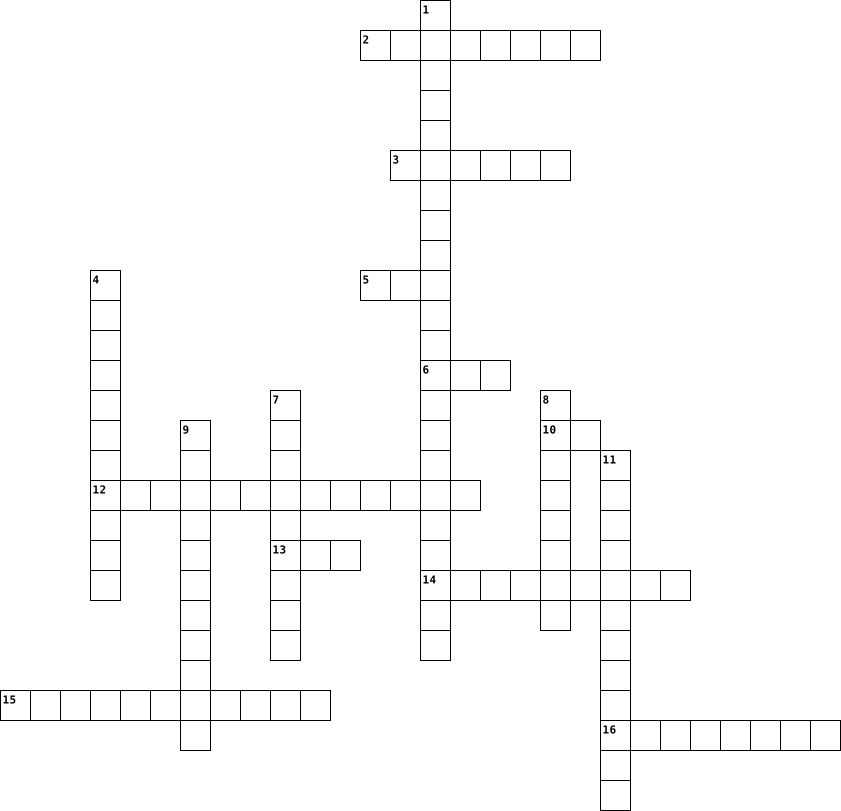
Across
- any part of the computer that has physical structure; the parts that make up the computer
- digits 1 and 0 used to represent letters
- brain of the computer
- stores data until needed.
- manages all software/hardware/etc.
- any hardware that receives data
- stores memory permanently
- series of commands
- a tool you use to access the internet (Google Chrome, Safari, Internet Explorer, Edge, Firefox)
- an electronic device that can use/process data
Down
- lets you use your mouse to click icons, buttons, and menus displayed on the screen
- main board,holds CPU,memory,etc.
- where your software, documents, and other files are stored
- any set of instructions that tells the hardware what to do and how to do it
- software that performs a certain task
- any hardware that sends data to a computer
16 Clues: series of commands • brain of the computer • stores data until needed. • stores memory permanently • any hardware that receives data • main board,holds CPU,memory,etc. • manages all software/hardware/etc. • software that performs a certain task • digits 1 and 0 used to represent letters • any hardware that sends data to a computer • ...
Hardware/Software 2024-09-22

Across
- an input device used to type letters, numbers, & characters that will be processed by the computer
- a wireless technology that allows devices to connect to a computer without cables
- allow the user to listen to sound that comes from the computer
- thumb drives or external/portable hard drives that connect to the computer & provide additional storage to the computer
- a piece of hardware inside computing systems that supports communication between different electrical components
- allow the user to plug additional components or devices into the computer, like headphones or printer
- includes all of the physical parts that make up a computer, such as the monitor and the central processing unit that keeps data moving
- software programs that help us get things done on our computers
Down
- a circuit board that plugs into another circuit board to extend its functionality
- part of the computer that displays output for users to view, like graphics and text
- the brains of the computer that processes information and makes the computer function
- an electronic machine that can process, store, and retrieve different types of data and information
- the program a computer's microprocessor uses to start the computer system after it is powered on
- the motherboard is known as the " " of the computer
- holds important components like the CPU, motherboard, hard disk, memory units, ports
- the instructions that control how the hardware functions, the applications running on the computer, and the data stored on the computer
- an input device used to interact with items displayed on the screen
- the main piece of software that runs in a computer & manages all other software and hardware parts of the computer and provides a way for you to communicate with the computer
18 Clues: the motherboard is known as the " " of the computer • allow the user to listen to sound that comes from the computer • software programs that help us get things done on our computers • an input device used to interact with items displayed on the screen • a circuit board that plugs into another circuit board to extend its functionality • ...
Software Vocabulary 2022-08-20

Across
- the process of identifying and removing errors from computer hardware or software.
- is a core component of an operating system
- A software who’s source code is available for use or change as developers or users deem appropriate.
- Biggest software company
- Short for malicious software
- Lightweight Analytical Platform with Total Optimized Power.
- personal computer
- A program that has special knowledge of a device that other programs using the device do not.
- language often used to build websites and software, automate tasks, and conduct data analysis
- is an open source operating system
- is the software that directly manages a system's hardware and resources
- It's the circuit board that connects all of your hardware
- describes a process that automatically loads and executes commands
- small programs or scripts that can negatively affect the health of your computer
Down
- Every part of an information device that a user can interact with.
- The process of optimising products for human use.
- is the most basic building block of the Web.
- is a programming structure that repeats a sequence of instructions until a specific condition is met.
- is a data structure that stores organized information.
- numbers are represented by only two symbols or digits
- is a desktop operating system developed by Microsoft
- is a subroutine attached to a specific class defined in the source code of a program.
- stands for application programming interface.
- an unexpected problem with software or hardware
- the use of existing software, or software knowledge, to build new software
25 Clues: personal computer • Biggest software company • Short for malicious software • is an open source operating system • is a core component of an operating system • is the most basic building block of the Web. • stands for application programming interface. • an unexpected problem with software or hardware • The process of optimising products for human use. • ...
Eliza - Digital Technology Glossary Crossword 2021-05-25

Across
- Hardware used to move curser on a computer
- A popular software created by Bill Gates
- More modern and efficient storage device is called an
- drives disk drive reads from, writes to hard disk
- The traditional storage device is called an
- - Most commonly used software
- Serial and Parallel are examples of what?
- device that responds to physical property detects
- Microsoft and Apple are examples of
- programs and operating information computer uses
- A common device used by adults and students to work
- Special computers that there are very few of around the world
Down
- Copying data between computer systems
- Small devices that store & transfer digital data
- Small common personal devices
- Physical components computer system consists of
- - software that helps users configure, analyse, optimise and maintain a computer
- Hardware that connects to device for listening
- The abbreviation of Random Access Memory
- Large storage and processing machine
20 Clues: Small common personal devices • - Most commonly used software • Microsoft and Apple are examples of • Large storage and processing machine • Copying data between computer systems • A popular software created by Bill Gates • The abbreviation of Random Access Memory • Serial and Parallel are examples of what? • Hardware used to move curser on a computer • ...
1102 2023-11-14

Across
- Program for creating and editing music
- Software used for protection against malware
- Program interpreting code in real-time
- Program for managing email communication
- Programs to keep the system running smoothly
- Device for digitizing images and documents
- Program that enhances the performance of the computer
- Software used to manage and organize files
- Programs used for virtual meetings and video conferencing
- Software that controls the functioning of hardware devices
- Scripted sequence of instructions
- Software used for managing and viewing digital books
- Software update fixing vulnerabilities
- Software used to reduce the size of files
- Software that controls hardware
- Small software programs that add functionality to a browser
- Program used for compressing multiple files into a single archive
Down
- Program that stimulates real world conditions for testing software
- Software for creating, editing, and viewing documents
- Used for backing up data
- High-speed access memory
- Programs designed to perform specific tasks
- Software used for creating and editing computer code
- Software designed for system security and prevent unauthorized access
- Process of converting data into a code
- Software used for browsing the internet
- Tool used to search for and remove unnecessary files
- Program that assists in recovering lost or deleted data
- Program used for creating and designing web pages
- Program used in editing and viewing images
- Program used for managing and organizing contacts
- Add-on enhancing functionality
- File format for when sharing documents
- Program that allows users to access and edit documents online
- Program used to monitor and track hardware performances
- Copy of Important Data
36 Clues: Copy of Important Data • Used for backing up data • High-speed access memory • Add-on enhancing functionality • Software that controls hardware • Scripted sequence of instructions • Program for creating and editing music • Program interpreting code in real-time • Process of converting data into a code • Software update fixing vulnerabilities • ...
IST Part 1 (35 Questions) – Foundations + Hardware + Systems 2026-04-29

Across
- Synchronizes operations in CPU
- Physical components of a computer system
- Communication pathway between components
- Main circuit board connecting all components
- Software that manages hardware and software resources
- Temporary memory that stores data currently in use
- The transformation of data into information
- Software embedded into hardware
- Component of CPU that performs arithmetic and logic operations
- Smallest sequence of programmed instructions
- Technique to improve CPU performance
- Smallest unit of data in computing
- Text-based interface for interacting with OS
- An electronic device that processes data into meaningful information
- Process of starting a computer system
- Handles graphical processing tasks
Down
- Non-volatile memory storing firmware instructions
- Programs and instructions executed by hardware
- Brain of the computer responsible for processing instructions
- Small storage location within CPU
- Consists of 8 bits
- Software that allows OS to communicate with hardware
- Processed data that is meaningful
- High-speed memory located close to CPU
- Devices that present processed results
- Graphical user interface using icons and windows
- Component used to save data permanently or temporarily
- External device connected to a computer
- Means of interaction between user and system
- Raw facts and figures before processing
- Core part of an operating system
- Directs operations within the CPU
- Running multiple processes simultaneously
- Devices used to enter data into a system
34 Clues: Consists of 8 bits • Synchronizes operations in CPU • Software embedded into hardware • Core part of an operating system • Small storage location within CPU • Processed data that is meaningful • Directs operations within the CPU • Smallest unit of data in computing • Handles graphical processing tasks • Technique to improve CPU performance • ...
Software Types, Drivers, Devices, and the Different Applications 2023-11-14

Across
- Software that performs a specific task, such as word processing or spreadsheet creation.
- Software designed for creating, viewing, and editing PDF files.
- Software program or utility used for creating, editing and maintaining database files and records.
- Program that allows you to compress files to save disk space.
- The barrier that sits between a private internal network and the public Internet.
- Applications like Microsoft Word or Google Docs fall into this category.
- Process of reducing the size of a file or folder.
- Software that provides a user interface for the computer.
- Tools or programs that assist in maintaining and optimizing your computer system.
- It is typically the largest printed circuit board in a machine's chassis.
- A standard for the short-range wireless interconnection of electronic devices.
- Software for managing and editing multimedia content.
- To allow users to monitor and manage the processes and applications running on their computer.
- Specific class of computer software that provides the low-level control for a device's specific hardware.
- Device that scans printed documents and converts them to digital format.
- Software that is available free of charge and often distributed informally for evaluation.
Down
- Computer input device in the form of a small panel containing different touch-sensitive areas.
- Computer programs used to perform a backup.
- Code that translates high-level programming languages to machine code.
- Software that is produced for sale or that serves commercial purposes.
- Device that stores data permanently.
- Computer program that can capture, display and manipulate data arranged in rows and columns.
- Connects a computer to the internet.
- Tool that helps internet users create, save, manage and use passwords across different online services.
- Software that manages computer hardware and software resources.
- A hardware or software component used to monitor system resources and performance in a computer system.
- Application for accessing websites and the Internet.
- Software that controls hardware and allows other software to run.
- Handheld input device.
- Operating system responsible for coordinating hardware and software.
- Any third-party software provided to Customer as part of any Proposal or incorporated into the Equipment as a stand-alone computer program.
- program that helps you create, edit, and organize documents.
- Device that prints documents on paper.
- A presentation program.
- Portable computer input device.
- Type of software helps keep your computer free from viruses and malware.
- Process of rearranging the data on a storage medium.
- Output device for displaying visual information.
- Software that backs up your files to prevent data loss.
- Software that lies between an operating system and the applications running on it.
40 Clues: Handheld input device. • A presentation program. • Portable computer input device. • Device that stores data permanently. • Connects a computer to the internet. • Device that prints documents on paper. • Computer programs used to perform a backup. • Output device for displaying visual information. • Process of reducing the size of a file or folder. • ...
HW & SW 2025-01-27

Across
- Temporary storage.
- _______ software helps us do specific tasks, like typing, drawing, or playing games.
- a type of screen.
- Stores all your files, programs, files.
- When the hardware parts work together to help the computer to _______.
- _________ software for making slideshows.
- a type of Word Processor.
- another word for buttons on a keyboard.
- helps move the pointer on the screen.
Down
- It is referred to as the physical parts of the computer.
- a program for drawing or colouring.
- They play sound or music on the computer.
- a collection of programs and instructions that tell the computer how to perform tasks.
- Displays information on a screen.
- Prints texts, pictures and documents onto paper.
- to access websites and the internet
- Software can be stored ________ on the computer.
- ___ has buttons for typing letters, numbers and symbols.
- ______ programs we play not the computer.
- the main software that manages the computer's hardware and lets other programs run.
- The 'brain' off the computer.
21 Clues: a type of screen. • Temporary storage. • a type of Word Processor. • The 'brain' off the computer. • Displays information on a screen. • a program for drawing or colouring. • to access websites and the internet • helps move the pointer on the screen. • Stores all your files, programs, files. • another word for buttons on a keyboard. • They play sound or music on the computer. • ...
Digital Literacy 2022-10-26

Across
- Allows one to create documents
- Produces and maintains files
- 1024 MB
- An international network
- A screen that displays information
- Manages the computer
- Memory of the device
- Makes calculations
- This lets you type
Down
- Computer application that shows graphics
- A circuit board
- Provides commands for hardware
- Device used to move cursor
- A disk drive
- A numerical computer program
- Data and instructions on a device
- External unit that helps devices run
- Performs a task that the user commands
- Eight bits
- Generates Images
20 Clues: 1024 MB • Eight bits • A disk drive • A circuit board • Generates Images • Makes calculations • This lets you type • Manages the computer • Memory of the device • An international network • Device used to move cursor • A numerical computer program • Produces and maintains files • Provides commands for hardware • Allows one to create documents • Data and instructions on a device • ...
Computer Software 2025-09-30

Across
- with source code that anyone can inspect, modify, and enhance.
- The physical components of a computer system (e.g., CPU, monitor, keyboard).
- The process of finding and fixing errors (bugs) in software code.
- User-Interface: The visual part of an application or operating system that allows a user to interact with the software.
- Graphical-User-Interface: A type of user interface that allows users to interact with electronic devices through icons, menus, and other visual indicators instead of text commands.
- A version of software that is released to a limited audience to test its functionality and identify bugs before the final release.
- The process of copying files and preparing software for use on a computer.
- The most critical type of system software; it manages computer memory, processes, and all of its software and hardware.
- A legal instrument governing the use and redistribution of software.
- A program that controls a particular type of device that is attached to your computer (e.g., a printer, graphics card, or keyboard).
- that is owned by an individual or company, and its source code is kept secret.
Down
- Short for "malicious software"; any software designed to cause damage or gain unauthorized access to a computer system.
- Tools that translate source code into machine code (binary code) that the computer's CPU can directly execute.
- A formal language used to communicate instructions to a machine (e.g., Python, Java, C++).
- Software designed to operate and control the computer hardware and provide a platform for running application software.
- An error, flaw, or fault in a computer program that causes it to produce an incorrect or unexpected result, or to behave in unintended ways.
- Programs designed to perform specific tasks for the user (e.g., word processing, gaming, web browsing).
- The non-physical instructions and data that direct a computer's hardware to perform tasks.
- A step-by-step procedure or formula for solving a problem or completing a task.
- The fundamental instructions, written in a programming language, that are readable by humans and define what the software does.
20 Clues: with source code that anyone can inspect, modify, and enhance. • The process of finding and fixing errors (bugs) in software code. • A legal instrument governing the use and redistribution of software. • The process of copying files and preparing software for use on a computer. • The physical components of a computer system (e.g., CPU, monitor, keyboard). • ...
Different Terms and Keywords on: Software Types, Drivers and Devices, the Different Applications 2023-11-14

Across
- Programs designed to enhance the performance of your computer.
- Software that helps in designing and publishing documents with complex layouts.
- Applications used for creating and editing audio recordings.
- A type of utility software that removes unnecessary files and improves system performance.
- A type of application software used for mathematical calculations and data analysis.
- Software designed to create and edit videos.
- Applications used for creating and editing digital drawings and paintings.
- A type of utility software that organizes and manages files on a computer.
- Software that enables communication between the operating system and hardware components.
- Software that helps in creating, editing, and formatting documents with a focus on typography.
- A type of utility software that monitors and controls the use of hardware resources.
- This software helps you keep your files safe by making copies for future recovery.
- Software that assists in creating and editing code for programming.
- Applications used to create and edit images, illustrations, and graphics.
- Programs that assist in creating and editing vector graphics.
- Programs that enable the creation and editing of electronic presentations.
- Programs that simulate a physical environment for various purposes, such as games.
- Software used for creating and editing spreadsheets.
- Software that enables communication over a network, such as email or messaging apps.
- Applications used for creating and editing three-dimensional models.
- Programs that help in managing and organizing contacts, emails, and calendars.
- System software that acts as an intermediary between the hardware and other software.
Down
- A type of software that helps you create and manage databases.
- A tool that allows you to view and edit PDF documents.
- A program that compresses files to save space.
- A tool that allows you to view and interact with web pages on the internet.
- A type of software that assists in creating and editing music.
- Programs that assist in troubleshooting and fixing problems on a computer.
- Software that helps in organizing and managing personal or business finances.
- A type of software that helps in managing and editing photos.
- Applications used for creating and editing text documents.
- A type of software that helps you manage and organize your schedule and tasks.
- This type of software helps protect your computer from malware and viruses.
- Software designed to detect and remove malicious software from a computer.
- A type of utility software that helps recover lost or deleted files.
- System software responsible for managing hardware resources and providing essential services.
- Software that helps in compressing and decompressing files.
- Software used for creating and editing documents, spreadsheets, and presentations.
- Type of software that performs specific tasks, like word processing or spreadsheet calculations.
- Software designed to protect your computer from unauthorized access.
40 Clues: Software designed to create and edit videos. • A program that compresses files to save space. • Software used for creating and editing spreadsheets. • A tool that allows you to view and edit PDF documents. • Applications used for creating and editing text documents. • Software that helps in compressing and decompressing files. • ...
Computer Basics Vocabulary 2022-08-22

Across
- brain of the computer
- manages the computer's memory processes & all its software and hardware
- instructions that tell the hardware and software what to do and how to do it
- devices that allow a user to send data to the CPU
- type of software that enables the user to perform a specific task
- file management system
- main circuit of a computer
Down
- electronic device that has the ability to store, retrieve, and process data
- hardware devices that can be plugged into a computer's extra ports to expand what a computer can do
- where software, documents, and other files are stored
- original name of the 1st personal computer that was introduced in 1981
- devices that save data
- document that has been saved and has a file name
- devices that translate input data into sounds or images
- short term memory
- physical parts of a computer
16 Clues: short term memory • brain of the computer • devices that save data • file management system • main circuit of a computer • physical parts of a computer • document that has been saved and has a file name • devices that allow a user to send data to the CPU • where software, documents, and other files are stored • devices that translate input data into sounds or images • ...
CSS Crossword Puzzle 2025-07-09

Across
- Data produced by a computer.
- Software for creating images.
- Software that manages computer hardware.
- A set of instructions for a computer.
- An output device displaying information.
- Data entered into a computer.
- Software for working with numbers.
- Programs and data used by a computer.
Down
- Software for storing and managing data.
- An input device for typing.
- Software designed for a specific task.
- Physical components of a computer.
- An output device producing hard copies.
- System software that manages computer resources.
- A common pointing device.
- Software that performs maintenance tasks.
16 Clues: A common pointing device. • An input device for typing. • Data produced by a computer. • Software for creating images. • Data entered into a computer. • Physical components of a computer. • Software for working with numbers. • A set of instructions for a computer. • Programs and data used by a computer. • Software designed for a specific task. • ...
COMPUTER TERMEN 2013-11-03

Across
- ANALYSE
- MENU
- SYSTEEM
- EXCEL
- WORD
- TAAKBALK
- POWERPOINT
- PC
- VERKENNER
- GB
- ONDERDELEN
- COMPUTER
Down
- SOFTWARE
- MUZIEK
- HARDWARE
- MOEDERBORD
- PROGRAMMA
- GEHEUGEN
- DESKTOP
- TOWER
21 Clues: PC • GB • MENU • MAIL • WORD • EXCEL • TOWER • MUZIEK • ANALYSE • SYSTEEM • DESKTOP • SOFTWARE • HARDWARE • TAAKBALK • GEHEUGEN • COMPUTER • PROGRAMMA • VERKENNER • MOEDERBORD • POWERPOINT • ONDERDELEN
Page 1 of 100 Next